Getting started
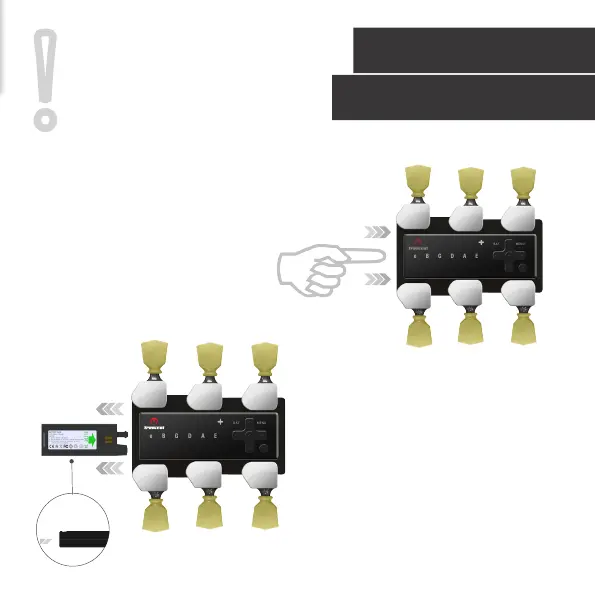
Replace Battery
ATTENTION: Be careful inserting the
battery. Pay attention to the slotted design
to guarantee proper orientation. Slide in
the battery with the tip side only.
Do not apply any force as you may cause
damage to the electronics.
!
1. PUSH THE BATTERY FOR RELEASE.
2. SLIDE OUT THE BATTERY
9



 To Next Page