Getting started
Install the system on the guitar
NOTE: do not use any tools on the Lock Nut and do not over tighten. Instead use a 1 CENT COIN
to tighten the locknut, otherwise you may damage the gear wheels by applying too much force.
Use only supplied wrench or torque wrench to tighten the Hex Nuts (the recommended torque for
the Hex Nuts of the RoboHeads is 1.5 Nm - 1.65 Nm (13.27 in.lbs - 14.6 in-lbs))
It is recommended to use a contact cleaning liquid (such as ethyl alcohol) before installing the RoboHeads
to the contacting PCB. Ensure that all contacts have a good connection before tightening the Hex Nuts
entirely.
Use caution when inserting the battery. Pay attention to the slotted design to guarantee proper orientation!
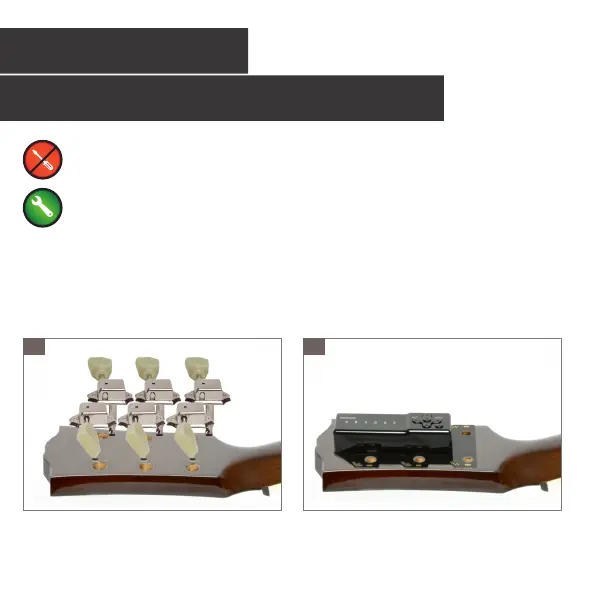
Remove all original tuners from the headstock.
Place the contacting PCB onto the backside of the
headstock. Verify that the Tronical logo appears the
right way up.
1 2
10



 To Next Page