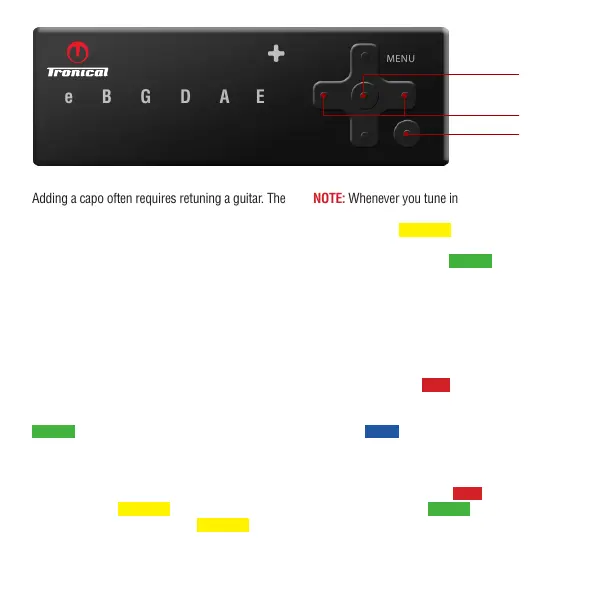
Adding a capo often requires retuning a guitar. The
TronicalTune PLUS can detect a CAPO in the range
of the 1st to 6th fret, then tune while taking the
capo position into account. Yes, this is amazing.
ENTER CAPO MODE
1. Capo Mode applies to the last completed tuning.
Select and tune to a tuning preset before entering
Capo Mode.
2. Once the TronicalTune PLUS has turned off
attach your capo on the 1st to 6th fret.
3. Press ON twice. Press and hold the LEFT button.
GREEN LEDs light sequentially = capo mode is
active.
4. Press ENTER and strum to tune your guitar. The
TronicalTune PLUS briefly indicates capo detection;
the number of lit YELLOW LEDs indicates the
capo’s location. Example: Two lit YELLOW LEDs
= capo is at second fret. Then tuning proceeds
as usual.
NOTE: Whenever you tune in capo mode the
TronicalTune PLUS first indicates CAPO location by
the number of lit YELLOW LEDs.
5. If any string LEDs aren’t GREEN , pluck those
strings. The TronicalTune PLUS turns off automati-
cally once tuning is complete.
EXIT CAPO MODE: TWO OPTIONS
• Remove the capo. Next time you tune, as soon
as you strum the TronicalTune PLUS will detect
that there is no capo, RED LEDs will flash sequen-
tially to turn off Capo Mode, and the TronicalTune
PLUS will confirm that there is no capo by flashing
shortly all BLUE LEDs. Continue with tuning.
• If you don’t want to re-tune after removing the
capo, make sure the TronicalTune PLUS is off and
follow steps 3 and 4 above. RED LEDs will light
sequentially instead of GREEN ones to indicate
that Capo Mode is no longer active. Press and
hold ON to turn off. Remove the capo.
BAT
LEFT / RIGHT
ENTER
ON /BACK
45



 To Next Page