B - 6 Operating Manual – Dehumidifier TTK 25 E EN
• When positioning the device in wet areas such as
laundries, bath rooms or the like, secure the de-
vice locally with an RCD (Residual Current protec-
tive Device) which complies with the appropriate
regulations.
• Ensure that extension cords are completely un-
rolled.
Notes regarding the dehumidifying capacity
The dehumidifying capacity depends on:
• the spatial composition of the room
• the room temperature
• the relative humidity
The higher the room temperature and relative humid-
ity, the higher the dehumidifying capacity.
For using in living rooms, a relative humidity of ap-
prox. 50-60 % is sufficient. In store rooms and ar-
chives, the humidity should not exceed approx. 50 %.
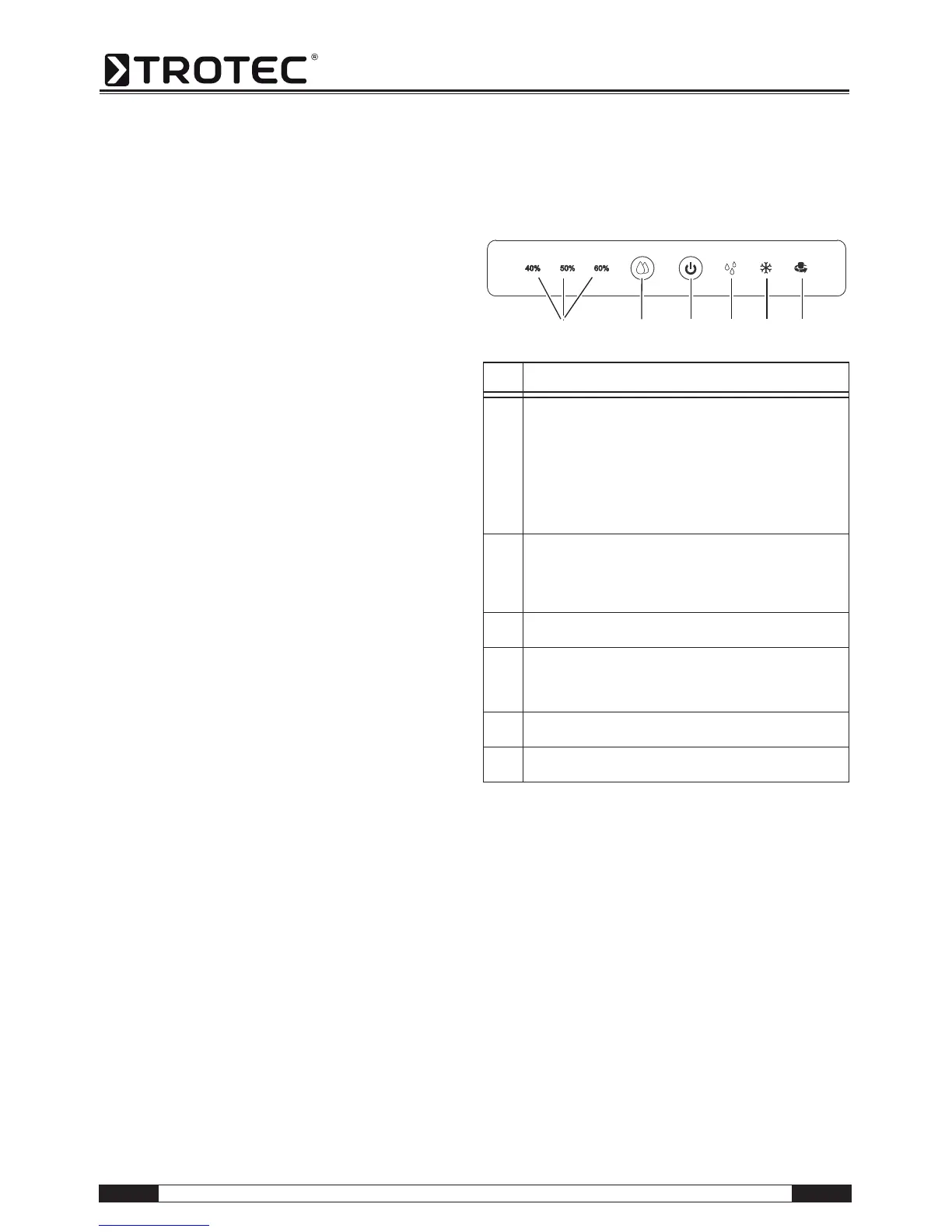
Operating elements
No. Operating element
10 Indicator light to display the desired level of relative humid-
ity:
The corresponding indicator light is lit, when the desired
relative humidity has been selected by means of the but-
ton°(11).
40 % / 50 % / 60 %:
The relative humidity is being decreased to 40 %, 50 % or
60 %.
11 Setting the desired humidity.
Note!
To start continuous operation mode, keep pressing the key
until the "Continuous" indicator light (15) is lit.
12 Mains switch:
Switches the device on or off.
13 Condensation tank full indicator light:
Flashes once the maximum fill level of the condensation
tank is reached or when the condensation tank is not
installed correctly in the device.
14 "Defrost" indicator light:
Lights up when the automatic defrost is active.
15 "Continuous" indicator light:
Lights up when automatic dehumidification is active.
151413121110



 To Next Page