9 EN
Operating manual – dehumidifier TTK 54 E / TTK 66 E
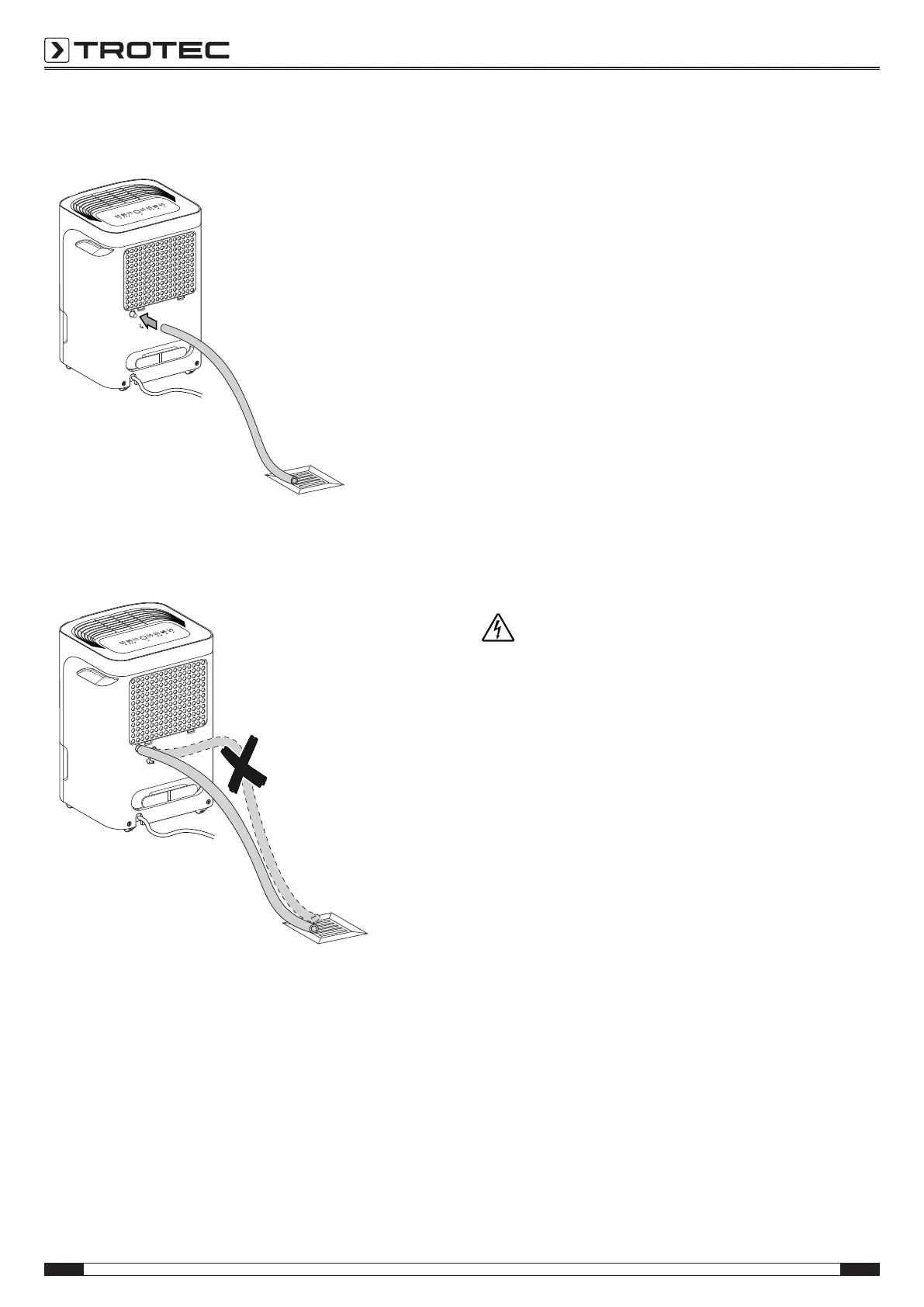
2. Push one end of the hose onto the hose connection.
3. Guide the other hose end to a suitable drain or sufficiently
dimensioned collection container. Please observe that the
hose must not be kinked.
Remove the hose if you want to collect the condensate in the
condensation tank again. Allow the hose to dry prior to storage.
The hose can be connected in any operating mode for
continuous operation.
Automatic defrost
At low ambient temperatures, ice may form at the evaporator
during dehumidification. The device will then carry out an
automatic defrost. Dehumidification is briefly interrupted during
defrosting. The fan keeps running. The error codeP1 for
automatic defrost will be indicated on the segment display(22).
The duration of the defrost process can vary. Do not switch off
the device during automatic defrost. Do not remove the mains
plug from the mains socket.
Drying laundry
In addition, the device may also be used as a kind of clothes
dryer to dry wet laundry in living or working spaces.
When positioning the device or a clothes horse, please observe
the minimum distances specified in the technical data.
For drying laundry the following values should be selected:
• cupboard dry = 46 % relative humidity
• iron dry = 58 % relative humidity
• slightly dried = 65 % relative humidity
If necessary, use a measuring device to determine the humidity
level.
Shutdown
Warning of electrical voltage
Do not touch the mains plug with wet or damp hands.
• Switch off the device.
• Hold onto the mains plug while pulling the power cable out
of the mains socket.
• If necessary, remove the condensation drain hose and any
residual fluid from it.
• Empty the condensation tank, if need be.
• Clean the device according to the Maintenance chapter.
• Store the device according to the Storage chapter.



 To Next Page