EN 8
Operating manual – dehumidifier TTK 54 E / TTK 66 E
Setting the timer
For the device to switch on or off automatically after a
predefined number of hours (max. 24hrs) you can programme
the timer. It is possible for the switch-on time and the switch-off
time to be activated at the same time, if so, both indications
(12 and 13) will be illuminated.
The timer can be programmed in increments of 0.5hours (0 to
10h) or in increments of 1hour (10 to 24h).
The timer can be set in all operating modes.
You can activate the function regardless of the device being
switched on or off.
Notice
Do not leave the operating device unattended in a
freely accessible room with an activated timer.
1. Press the TIMER button(24) to activate the timer.
ð The Timer Off indication (13) is illuminated.
ð The segment display(22) indicates the number of hours
until automatic switch-off (default: 0.0).
2. Press the plus/ minus buttons(21, 23) to choose the
number of hours until automatic switch-off.
3. Alternatively, press the TIMER button(24) again to
programme automatic switch-on.
ð The Timer On indication(12) is illuminated.
ð The segment display(22) indicates the number of hours
until automatic switch-on (default: 0.0).
4. Press the plus/ minus buttons(21, 23) until the desired
number of hours until automatic switch-on has been set.
ð The number of hours is indicated on the segment
display(22) for approx.5s. Then the current humidity
level of the room will be indicated.
5. The device keeps running until the given switch-off time
has expired or until the device is switched off manually.
ð The device switches off or on after the predefined time.
ð The corresponding indication (Off(13) for automatic switch-
off or On(12) for automatic switch-on) is illuminated.
Notice
You can deactivate automatic switch-on and switch-off
by setting the respective number of hours back to 0 or
by manually switching the device on or off.
If the error code P2 is indicated on the segment
display(22), the timer is also deactivated.
A full condensation tank can cause the device to be
switched off before the set number of hours until
automatic switch-off have elapsed.
Laundry drying function
The device may be used to dry clothes in a more timely manner.
When positioning the device or a clothes horse, please observe
the minimum distances specified in the technical data.
The device dehumidifies the air constantly and regardless of the
relative room humidity. The fan runs at the highest speed.
The relative humidity cannot be adjusted in this operating mode.
The maximum operating time in this mode amounts to 10hours.
1. Press the MODE button(20) until the Dryer indication(15) is
illuminated.
ð The function for drying laundry is activated.
Ionization
This function serves to purify the air using ions. The released
ions remove pollen, dust, viruses and bacteria from the room
air.
The ionization function can be selected in any operating mode.
1. Press the ION button(26) to start the ionization.
ð The ionisation indication(10) is illuminated.
Comfort mode
Comfort mode ensures an agreeable humidity level ranging
between 45% and 55%. Depending on the room temperature
the device automatically regulates the convenient humidity level
choosing a value from 45% – 50% – 55%.
In this operating mode it is not possible to regulate the humidity
level manually.
1. Press the MODE button(20) until the SMD indication is
illuminated to switch comfort mode on or off.
Memory function
After a power failure during operation the device will
automatically be switched back on after a while. The selected
settings are saved. Any programmed timer settings will not be
saved.
Auto stop function
If the water tank is full, not inserted correctly or the relative
room humidity has been reached, the device will stop
automatically.
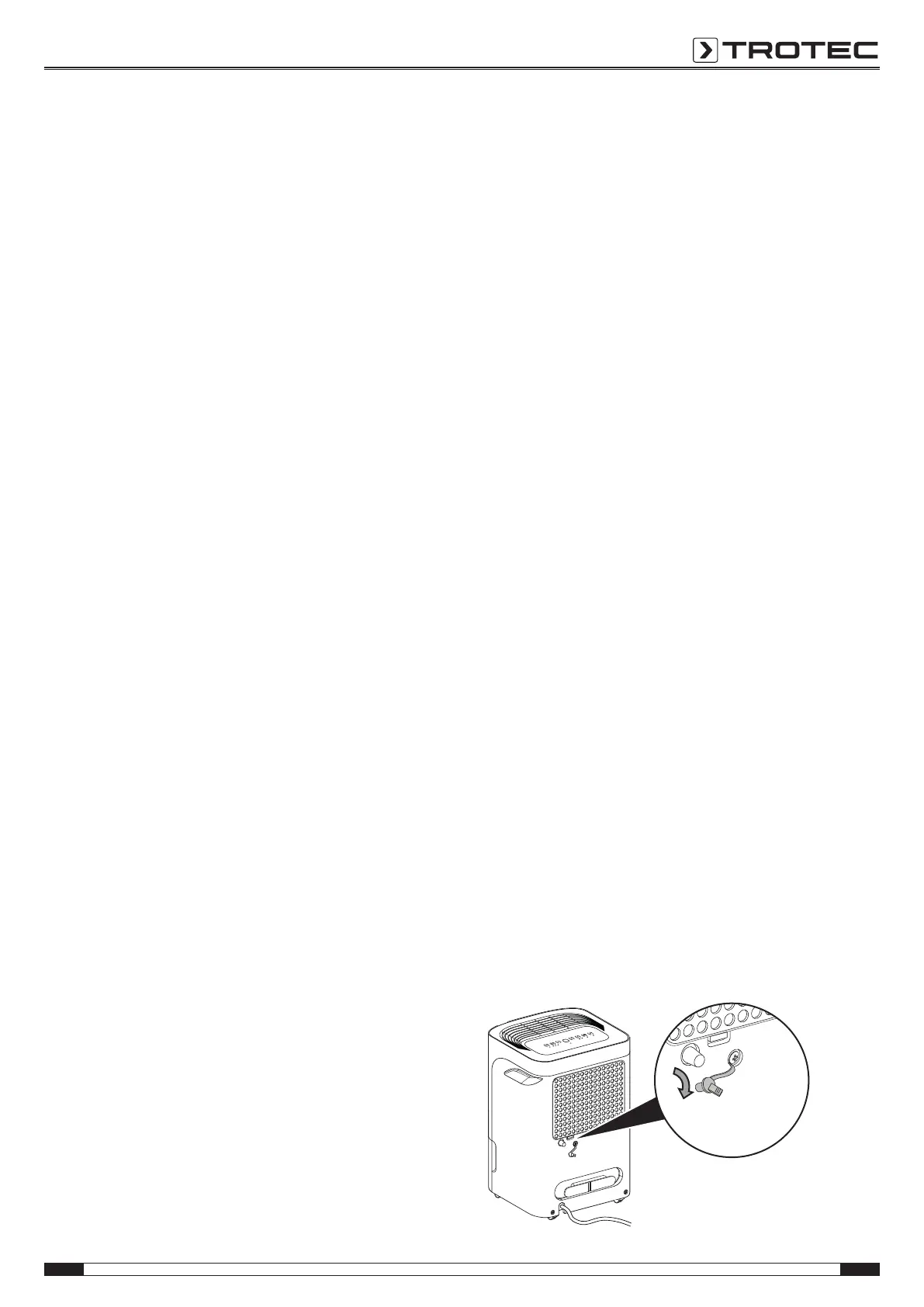
Operation with hose attached to the condensation
connection
For continuous operation or unattended dehumidification, please
connect the supplied condensation drain hose to the device.
ü A suitable hose (diameter: 14mm) is ready for use.
ü The device is switched off.
1. Remove the rubber plug.



 To Next Page