5 EN
Operating manual – dehumidifier TTK 68 E / TTK 69 E
Set-up and installation
Positioning
When positioning the device, observe the minimum distance
from walls or other objects as described in chapter Technical
Data.
• Set the device up in a level and stable position.
• When positioning the device, keep a sufficient distance to
heat sources.
• When positioning the device, particularly in wet areas,
secure it locally with an RCD (residual current device)
which complies with the respective regulations.
Scope of delivery
• 1 x Dehumidifier
• 1 x Air filter
Operation
• After being switched on, the device operates fully
automatically.
• The fan runs permanently in dehumidification mode until
the set nominal value is reached or the device switched
off.
• Avoid open doors and windows.
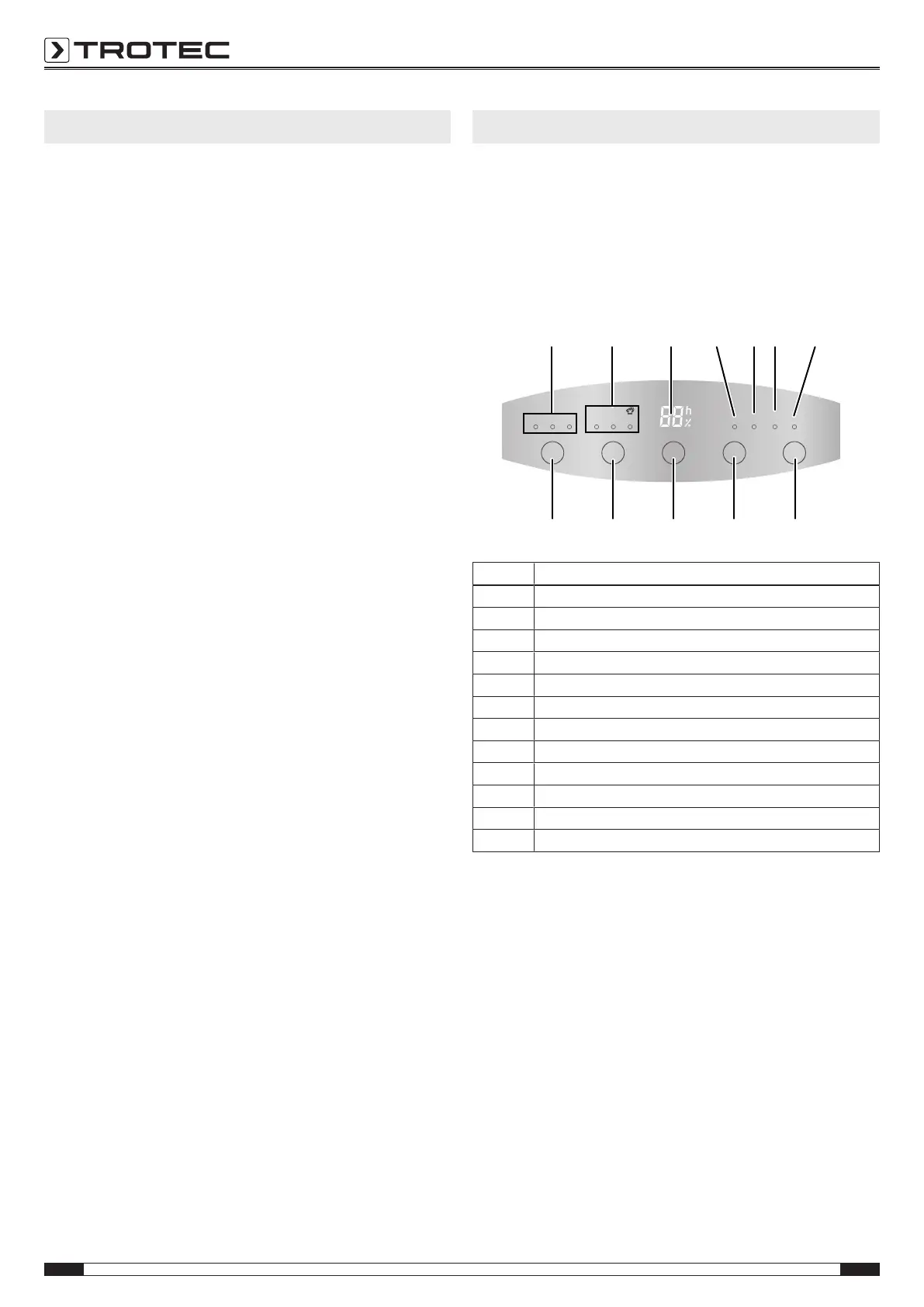
Operating elements TTK 68 E
Filter
Clean ON/OFF
ON/OFF
Smart Cont Dry Timer ON/OFF
High Med Low
Water
Full
Fan Mode
Humidity
Timer
10 11 12 13 14 15 16
21 20 19 18 17
No. Designation
10 Fan stage indication
11 Operating mode indication
12 LC display
13 Timer ON/OFF indication - timer switched on
14 Water Full indication - condensation tank full
15 Filter Clean indication - clean the air filter
16 ON/OFF indication - device switched on
17 ON/OFF button for switch-on and -off
18 Timer button for programming the time
19 Humidity button for setting the desired humidity level
20 Mode button for setting the desired operating mode
21 Fan button for setting the desired fan stage



 To Next Page