9 EN
Operating manual – dehumidifier TTK 68 E / TTK 69 E
Errors and faults
The device has been checked for proper functioning several
times during production. If malfunctions occur nonetheless,
check the device according to the following list.
Note:
Wait for at least 3 minutes after maintenance and repair work.
Only then switch the device back on.
The device does not start:
• Check the power connection.
• Check the mains plug for damages.
• Check the condensation tank for correct seating. Check the
filling level of the condensation tank and empty it, if
necessary. The indicator lightmust not light up.
• Wait for 10 minutes before restarting the device. If the
device is not starting, have the electrics checked by a
specialist company or by Trotec.
The device is running, but no condensate forms:
• Check the float in the condensation tank for dirt. If
necessary, clean the condensation tank. The float must be
able to move freely.
• Check the room temperature. Observe the device's
permissible operating range according to the technical
data.
• Check the air filter for dirt. If necessary, clean or replace
the air filter.
• From the outside, check the condenser for dirt (see
chapter Maintenance). If your condenser is dirty, have it
cleaned by a specialist company or by Trotec.
The device is loud or vibrates; condensate is leaking:
• Check whether the device is standing upright and on an
even surface.
The device gets very warm, is loud or loses power:
• Check the air inlets and air filter for dirt. Remove external
dirt.
• From the outside, check the device for dirt (see chapter
Maintenance). If the inside of the device is dirty, have it
cleaned by a specialist company or by Trotec.
Your device still does not operate correctly after these
checks?
Have the device repaired by authorised expert staff or by Trotec.
Maintenance
Activities required before starting maintenance
• Do not touch the mains plug with wet or damp hands.
• Before any work, remove the mains plug!
Danger!
Maintenance tasks which require the housing to be
opened must only be carried out by authorised
specialist companies or by Trotec.
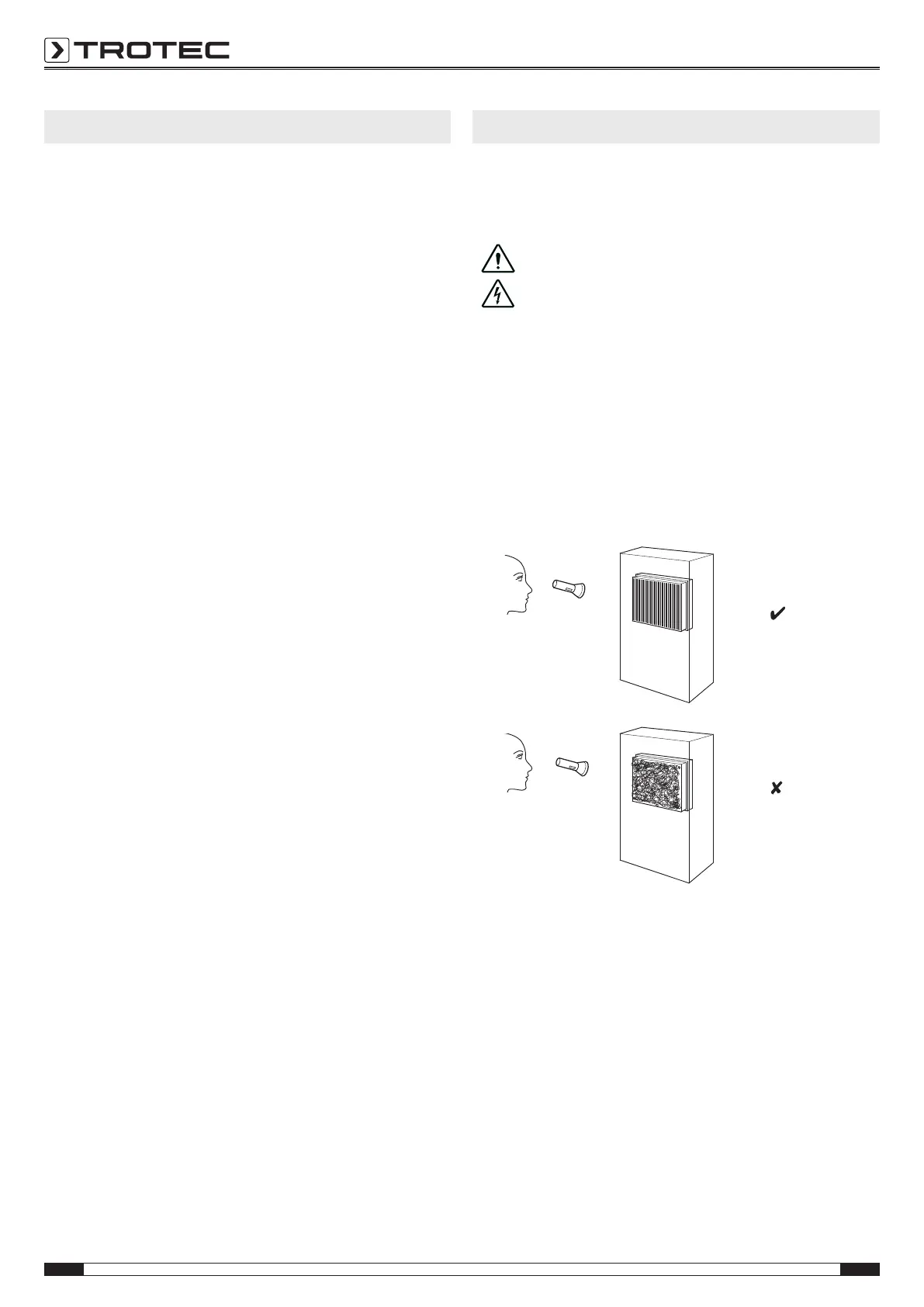
Visual inspection of the inside of the device for dirt
1. Remove the air filter.
2. Use a torch to illuminate the openings of the device.
3. If you see a thick layer of dust, have the inside of the device
cleaned by a specialist company for cooling and air-
conditioning or by Trotec.
4. Put the air filter back in.
Cleaning the housing
Clean the device with a soft, damp and lint-free cloth. Ensure
that no moisture enters the housing. Do not use abrasive
cleaners.
Refrigerant circuit
• The entire refrigerant circuit is a maintenance-free,
hermetically sealed system and may only be maintained or
repaired by specialist companies for cooling and air-
conditioning or by Trotec.



 To Next Page