EN 8
Operating manual – dehumidifier TTK 68 E / TTK 69 E
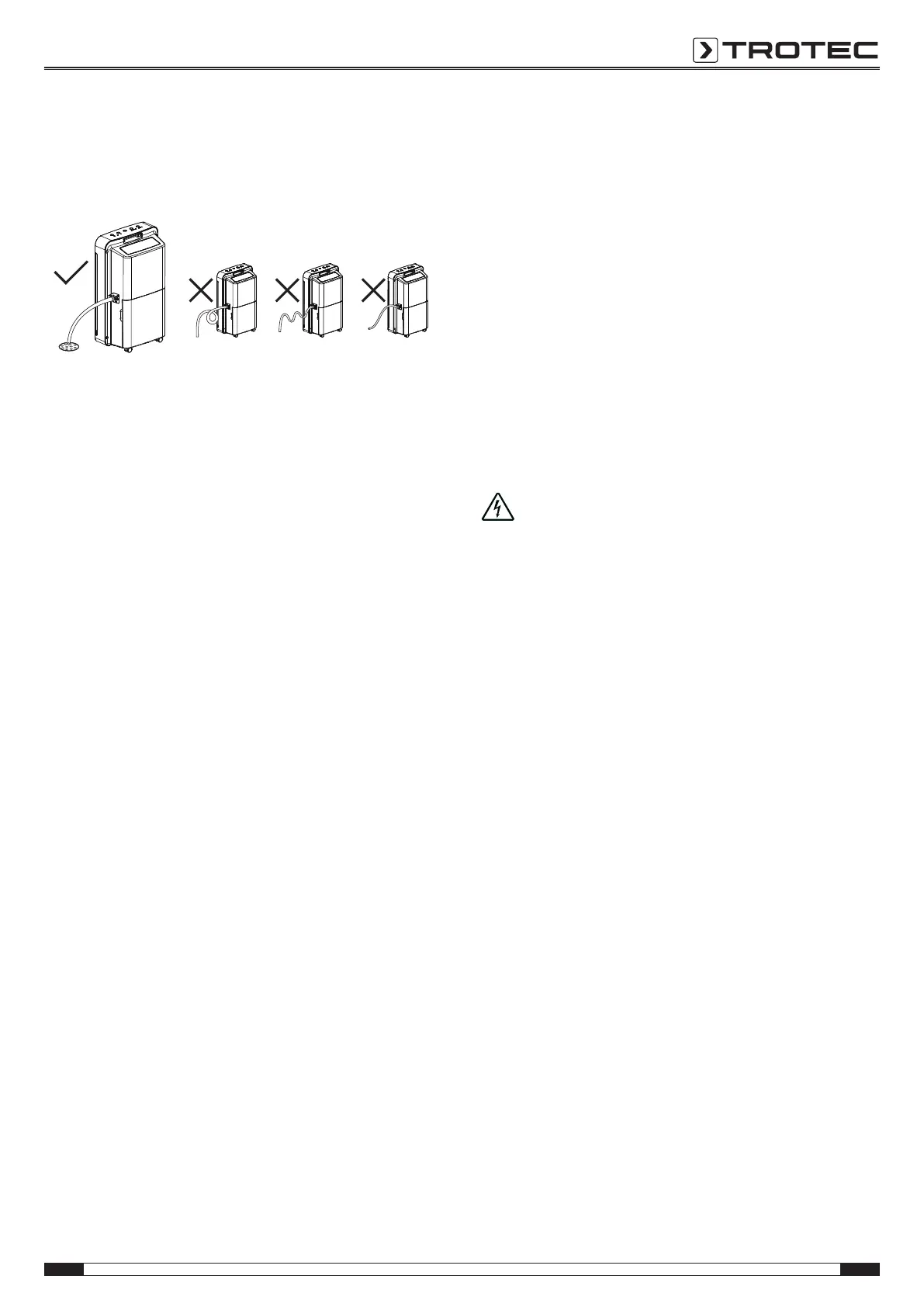
5. Push one end of the hose onto the hose adapter.
6. Guide the other hose end to a suitable drain or sufficiently
dimensioned collection container. Please observe that the
hose must not be kinked.
Setting the fan stage
The following fan stages can be selected:
• High: highest fan stage
• Med: medium fan stage
• Low: lowest fan stage
1. Press the Fan button (21) until the LED for the desired stage
lights up.
Setting the timer
The timer can be adjusted in increments of 1hour to a value
between 0 and 24hours.
Preselecting the switch-on time:
1. Press the Timer button(18) to switch on the timer.
2. Press the Timer button(18) until the desired number of
hours until automatic switch-on has been set.
ð The number of hours is indicated on the display for
approx.5s.
ð The device switches on after the predefined time.
Preselecting the switch-off time:
ü The device is switched on already.
1. Press the Timer button(18) to activate the timer.
2. Press the Timer button(18) until the desired number of
hours has been set.
ð The number of hours is indicated on the display for
approx.5s.
ð The device switches off after the predefined time.
Automatic defrost
At low ambient temperatures the evaporator can freeze up
during dehumidification. The device then carries out an
automatic defrost. The duration of the defrost process can vary.
Do not switch off the device during automatic defrost. Do not
remove the mains plug from the mains socket.
Memory function
In case of brief power failures the device memorizes the set fan
stage and operating mode. The pre-programmed start and stop
times for automatic operation are not saved.
Child lock
To deactivate child lock, please proceed as follows:
1. Simultaneously press both buttons Mode(20) and
Timer(18) for approx. 1s.
ð Child lock is activated.
ð The message LC will be indicated on the display
whenever a button is pressed.
2. Press the buttons Mode(20) and Timer(18) again for
approx. 1s to deactivate the lock.
ð All buttons can be actuated once again.
Auto stop function
If the water tank is full, not inserted correctly or if the humidity
level is 5% lower than the set humidity value, the device stops
automatically.
Shutdown
1. Press the ON/OFF button(17).
Danger!
Do not touch the mains plug with wet or damp hands.
2. Remove the mains plug from the mains socket.
3. If necessary, remove the condensation drain hose and any
residual fluid from it.
4. If necessary, empty the condensation tank and wipe it dry
with a clean cloth. Check for dripping condensation.
5. Clean the device, and especially the air filter, according to
the chapter Maintenance.
6. Store the device according to the chapter Storage.



 To Next Page