7 EN
Operating manual – dehumidifier TTK 68 E / TTK 69 E
Setting the operating mode
Note:
For operating the device in continuous operation mode (Cont.), a
condensation drain hose must be connected to the device, see
chapter Operation with hose attached to the condensation
connection.
The devices TTK 68 E and TTK 69 E come with the following
operating modes:
• Smart (automatic mode)
– The humidity level is regulated automatically depending
on the room temperature. If the room's humidity level is
lower than the one set, the device stops automatically.
– The fan stage can be freely selected.
• Cont. (continuous mode)
– The device dehumidifies the air continuously.
– The humidity level cannot be set.
– The fan stage can be freely selected.
• Dry (mode for drying laundry)
– To do so, set up the device near your clothes horse.
– The device dehumidifies the air continuously.
– The fan stage and the humidity level cannot be set.
Additionally, the device TTK 69 E comes with the following
operating mode:
• Quiet (whisper mode)
– The humidity level is regulated automatically depending
on the room's humidity level.
– The fan runs at the most silent (lowest) stage.
– The fan stage and the humidity level cannot be set.
1. To select the desired operating mode, press the Mode
button.
ð The corresponding LED (11) lights up.
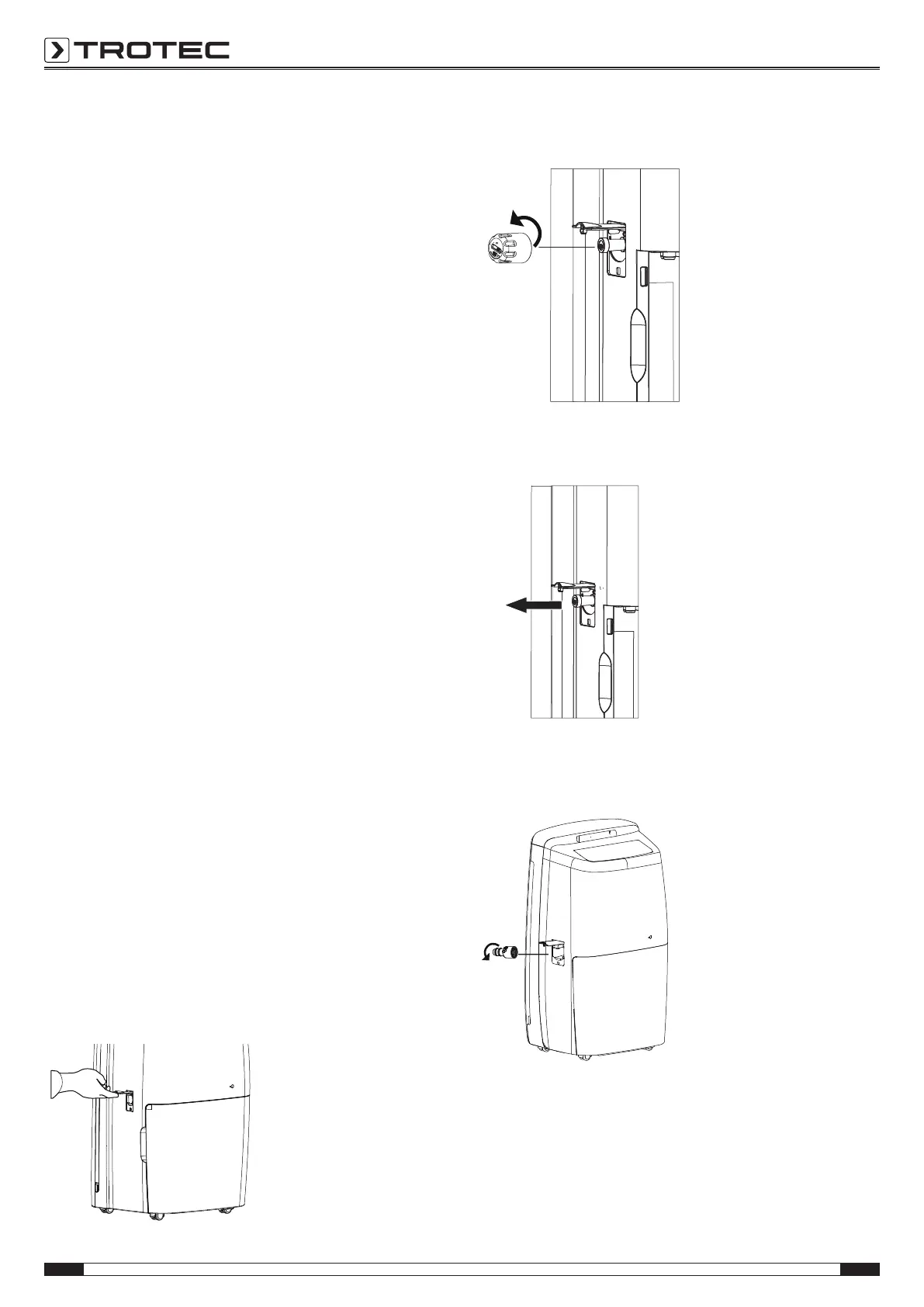
Operation with hose attached to the condensation
connection
For continuous dehumidification (continuous operation) the
condensation drain hose must be connected to the device.
ü A suitable hose (Ø = 14mm) is available.
ü A suitable hose adapter is ready.
ü The device is switched off.
1. Open the cover(3) for the connection of the condensation
drain hose.
2. Unscrew the sealing cap counter-clockwise.
3. Remove the stopper.
4. Screw the hose adapter onto the connection in a clockwise
motion.



 To Next Page