CHAPTER 4: T9 TOUCHSCREEN CONSOLE OPERATION
Truetness.com / 800.426.6570 / 636.272.7100 19 of 29
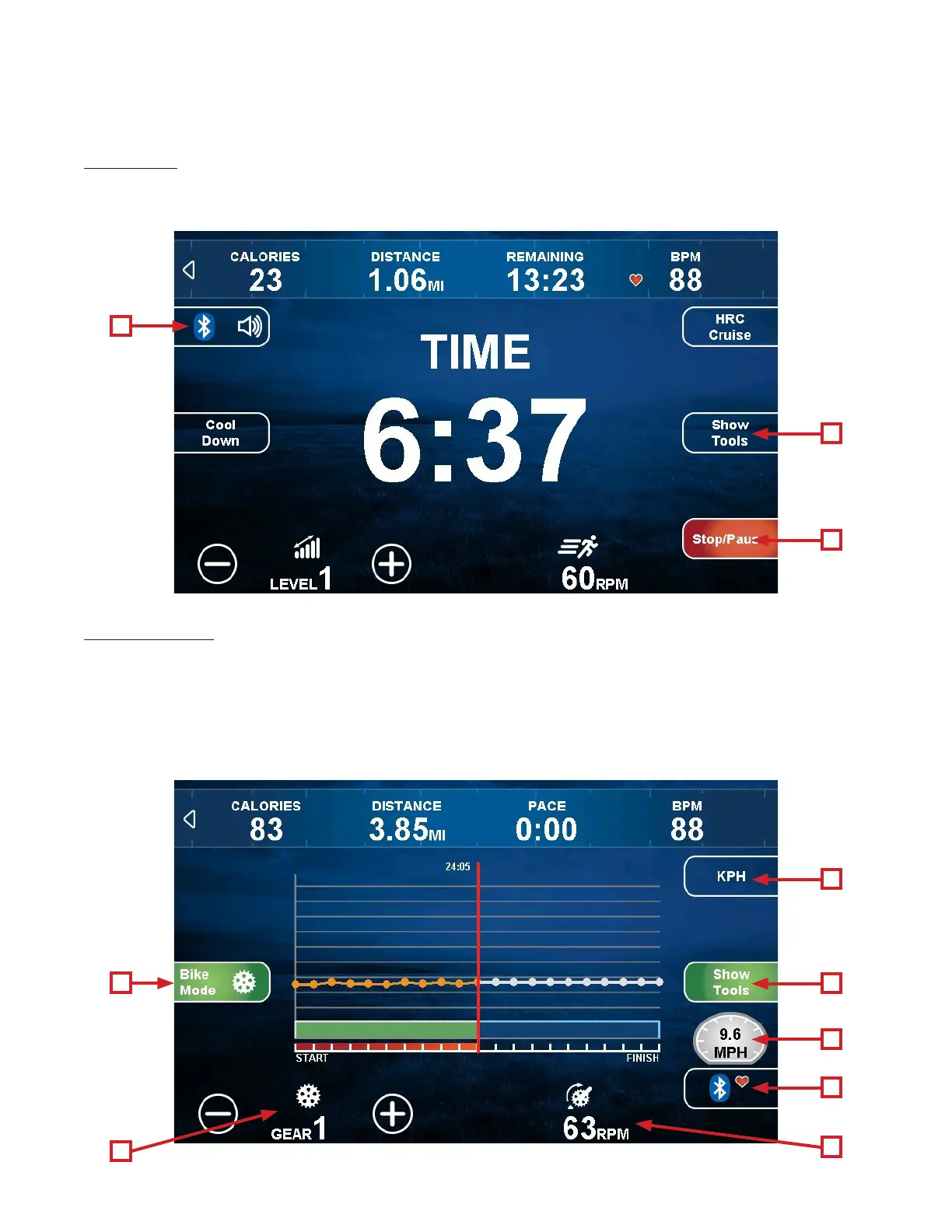
TOUCHSCREEN NAVIGATION:
D) Source:
For Bluetooth Audio and to pair a mobile device with the console name on the screen. e user is given control over
volume adjustments, mute, and channel navigation.
E) Show Tools:
Touching the “Show Tools” button (A) will display various options. Touching “Bike Mode” (1) toggles it on, display
the MPH dial (2) and simulates riding a 21-speed (3) road bike. e resistance changes to constant torque against the
pedals and calculates speed (4) for a more realistic biking experience. Touching the “+” and “-” keys (3) will change
the simulated gears. Touching the KPH / MPH Button (5) will toggle between having all values displayed as English
or Metric units. Touching the “Heart Rate Workout Data” (6) button allows the user to choose the type of Bluetooth
Heart Rate device.
D
E
F
5
A
2
6
4
1
3


 To Next Page