21
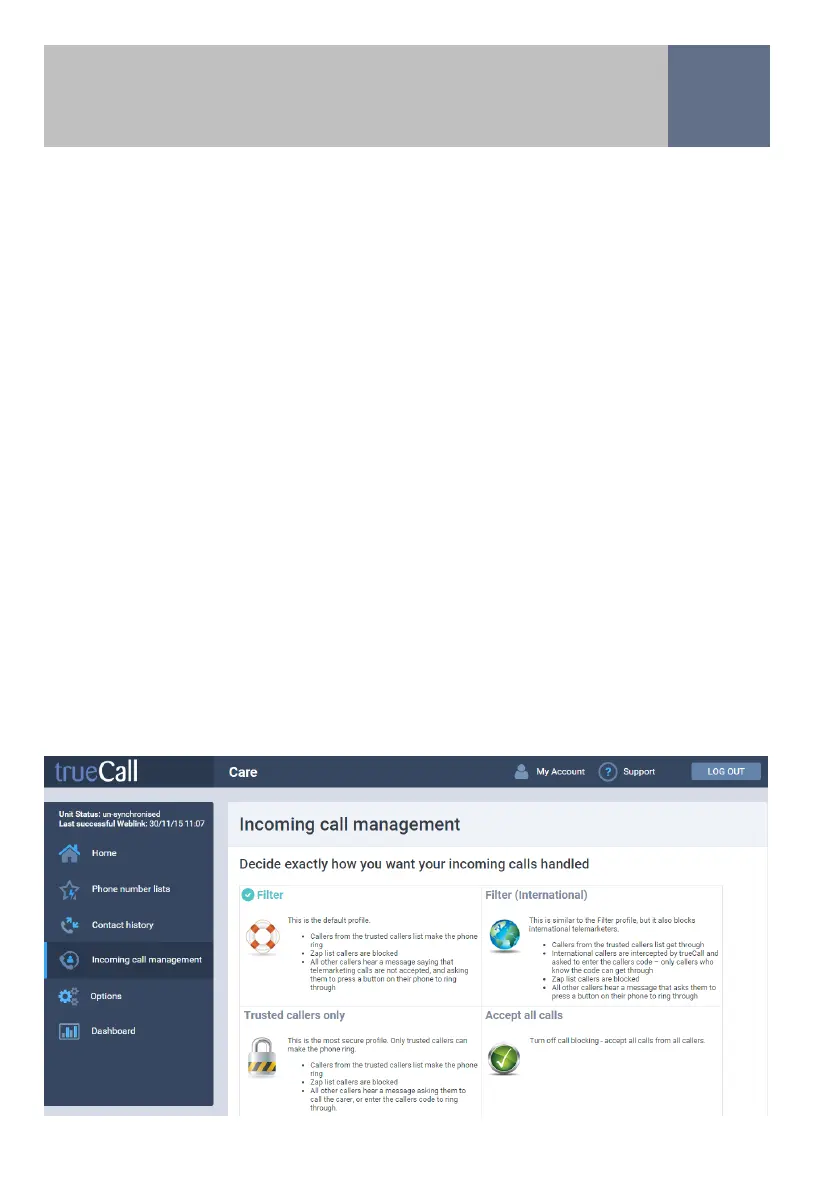
including incoming calls that are blocked, and those that are
not answered. It allows you to lookup any unfamiliar
numbers so that you can find out who has been calling.
For each call you can see the phone number, date, time and
duration of the call and how the call was handled by
trueCall.
Options
This page gives you access to a range of options and
settings, allowing you to customise trueCall to meet your
exact needs. You can change the PIN and Callers Code to
something more memorable, you can turn on or off certain
trueCall Secure features including scheduled Weblinks.
My Account
This holds your name and address details and preferences.
Please keep this up to date so that we can support you and
keep in touch with offers and information about new
features and upgrades.
Support
This has a wealth of information about trueCall with a list of
frequently asked questions. You can also submit a support
request to our team.
Internet Control Panel & Weblink


 To Next Page