22
trueCall has a built-in voicemail system that can store 12
minutes of messages. It is turned off by default, but you can
turn it on at the Internet Control Panel. If you turn it on it will
answer any call that has been ringing for more than 30
seconds. The 30 second period can be changed - for example,
if you need longer to get to the phone.
Playing back messages
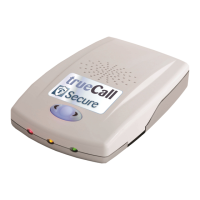
trueCall flashes its red light to tell you that you have new
messages waiting - one flash for one message, two flashes for
two messages, three flashes for three messages, or four
flashes for four or more messages.
There are three ways to play back the messages - from a
telephone handset, by pressing the button on the unit, or by
dialling in from another location.
Playback from the telephone handset
Pick up the telephone attached to trueCall, and when you
hear the dial tone press trueCall’s button (or dial ‘#’).
trueCall tells you how many messages you have, and
then plays them back one at a time. At the end of a
message, or at any time during the message playback,
you can choose delete, save or repeat the message. You
can listen to the message details, ring the caller back, or if
you have a trueCall Call Recorder memory card installed,
you can archive the message to the card.
Quick playback through the speaker
Press the trueCall button to quickly play back the
messages through trueCall’s speaker. Press the left
button to save the message or the right button to delete it.
Checking the messages from another location
Make a Remote Access call into the trueCall Secure unit
(page 18).
Voicemail


 To Next Page