3
Overview
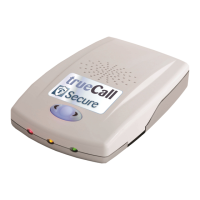
trueCall Secure has been designed to block unwanted calls
before your phone even rings. It offers three different profiles,
each giving a different level of protection. This allows you to
set it to meet your own particular needs, and adjust its settings
if those needs change.
The trueCall Secure unit is connected between the phone and
the telephone socket. When a call arrives it uses the Caller-ID
service to check the caller’s number against a list of trusted
and/or barred callers. It will either let the caller straight
through, block them, or ask them to identify themselves by
pressing a key or by entering a code.
Once trueCall Secure is set up you will forget that it is there -
you continue to use your phone as normal. Your phone will just
ring less often, and when it does ring it will almost certainly be
someone that you do want to speak to.
In addition to screening calls, trueCall Secure has many other
useful features:
• Off-hook warning
• Outgoing call barring
• Voicemail
• Personalisation of announcements
• Phone call recording (with optional Call Recorder card)
trueCall Secure is quick and easy to set up and can be
managed using the telephone handset or remotely, either by
remote dial-up, or from the optional Internet Control Panel.
trueCall Secure has two main settings (or profiles). The default
Filter profile allows through trusted callers, but asks all other
callers to identify themselves by pressing a key on their phone.
The Trusted Caller Only profile will only let through calls from
trusted callers - all other callers are blocked with a message
telling them to get in touch via a family member or carer. The
Trusted Caller Only profile is designed for dementia
households, or situations where someone is being targeted by
scammers.


 To Next Page