4
Setting up trueCall Secure
Most telephone operators provide a caller identity (Caller-ID)
service that delivers the telephone number of the person who
is calling you along with their call. If your telephone has a
display screen you can see who is calling you before you pick
up (you are probably familiar with this sort of service from your
mobile phone).
trueCall works best if the Caller-ID service is switched on - this
allows it to distinguish between calls from friends/family
members, and other callers. In the UK some operators provide
this free - though you will have to ask them to switch it on -
other operators may charge a small monthly fee.
Before you install trueCall Secure it is worth checking that the
Caller-ID service is active on your phone line. An easy way to
do this is to make a call to the landline from your mobile and
check that the mobile’s number is displayed on your landline
1. Check that you have Caller-ID on the line
Quick setup
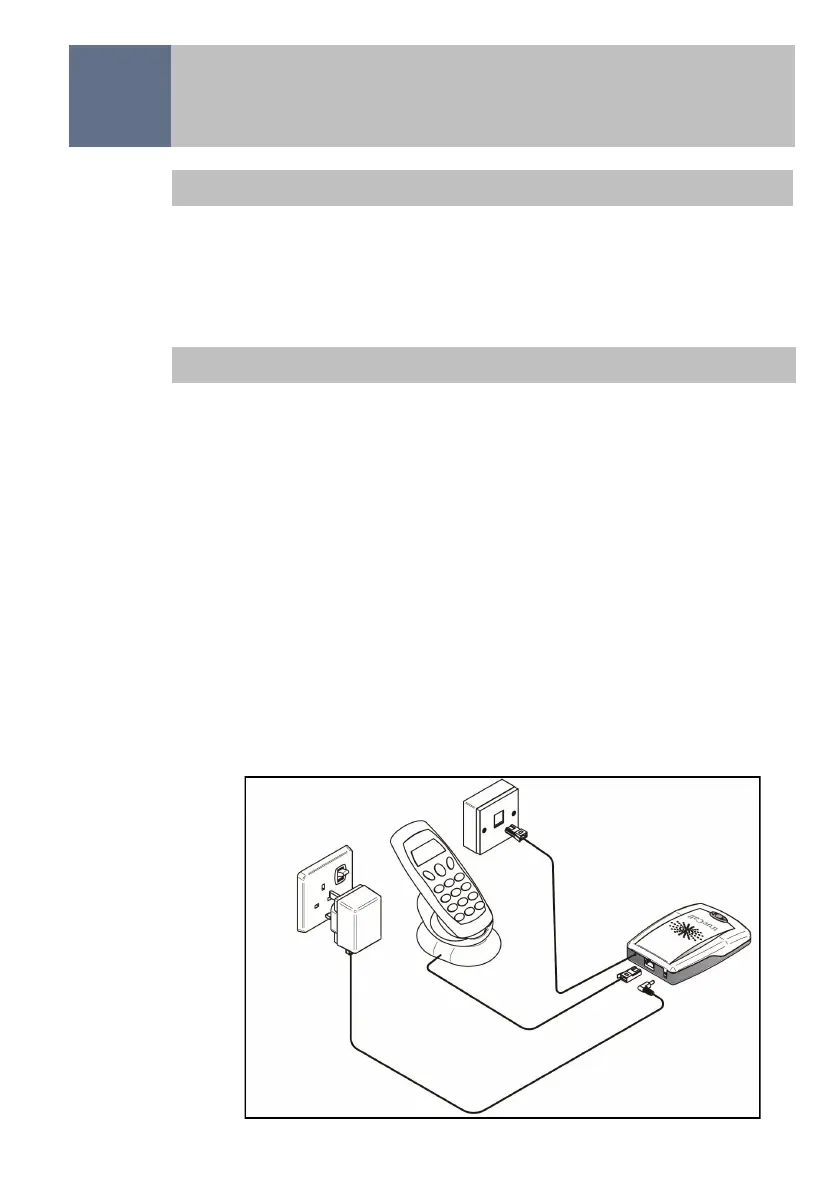
If you don’t have much time and want to get trueCall Secure
running as quickly as possible just carry out step 2 - this will
give a basic but effective level of protection.
To get all the benefits of trueCall Secure go through steps 1 to
6 below - it only takes a few minutes.


 To Next Page