7
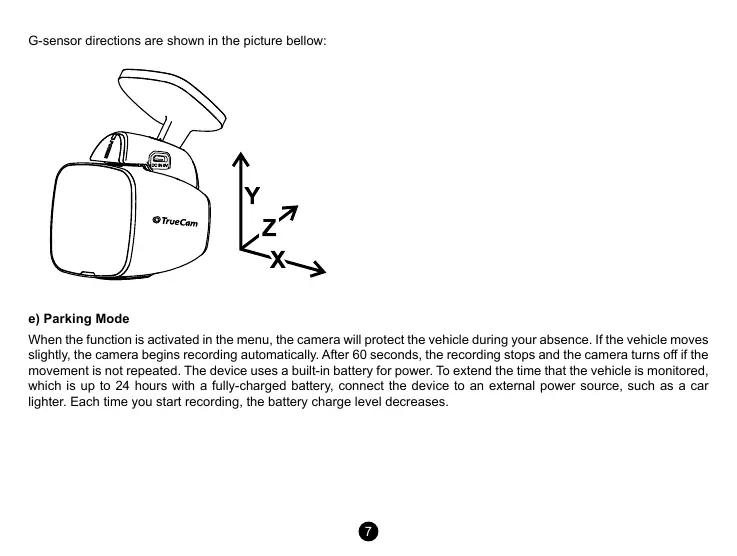
G-sensor directions are shown in the picture bellow:
e) Parking Mode
When the function is activated in the menu, the camera will protect the vehicle during your absence. If the vehicle moves
slightly, the camera begins recording automatically. After 60 seconds, the recording stops and the camera turns o if the
movement is not repeated. The device uses a built-in battery for power. To extend the time that the vehicle is monitored,
which is up to 24 hours with a fully-charged battery, connect the device to an external power source, such as a car
lighter. Each time you start recording, the battery charge level decreases.


 To Next Page
 Loading...


