1
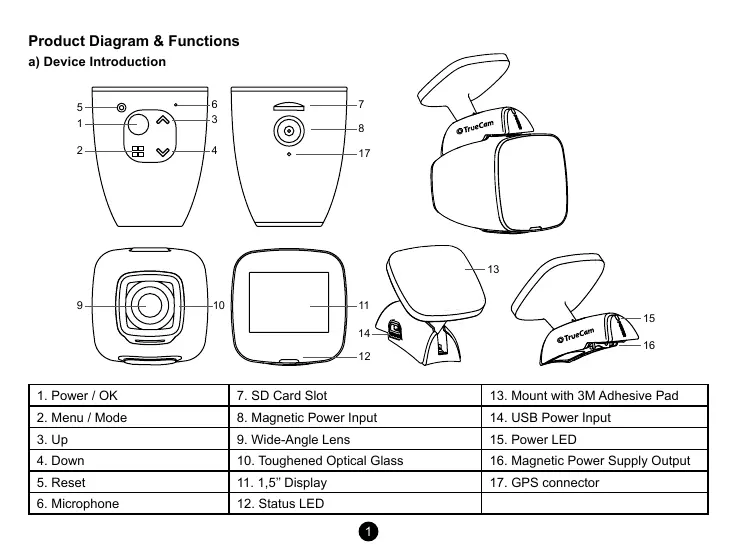
Product Diagram & Functions
a) Device Introduction
1. Power / OK 7. SD Card Slot 13. Mount with 3M Adhesive Pad
2. Menu / Mode 8. Magnetic Power Input 14. USB Power Input
3. Up 9. Wide-Angle Lens 15. Power LED
4. Down 10. Toughened Optical Glass 16. Magnetic Power Supply Output
5. Reset 11. 1,5’’ Display 17. GPS connector
6. Microphone 12. Status LED
5
1
2 4
3
10
8
17
6 7
11
12
16
14
15
13
9


 To Next Page
 Loading...


