12
Menu Settings
The device works with two modes – video / photo and playback.
a) In Video / Photo Mode
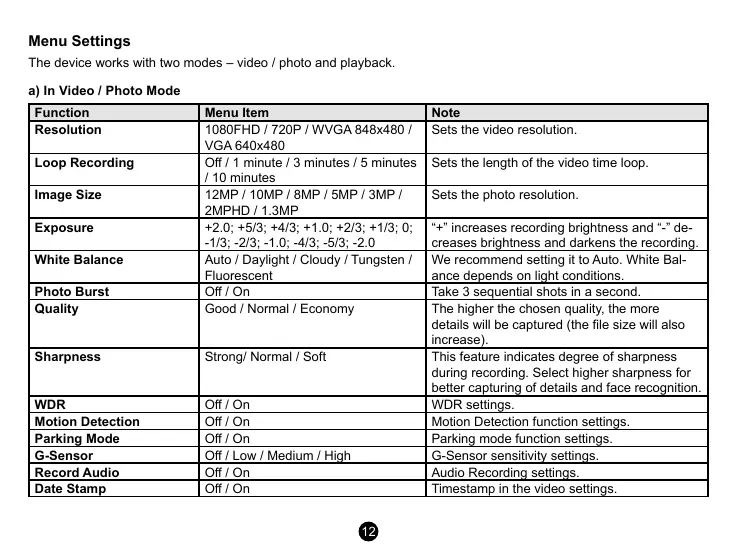
Function Menu Item Note
Resolution
1080FHD / 720P / WVGA 848x480 /
VGA 640x480
Sets the video resolution.
Loop Recording
O / 1 minute / 3 minutes / 5 minutes
/ 10 minutes
Sets the length of the video time loop.
Image Size
12MP / 10MP / 8MP / 5MP / 3MP /
2MPHD / 1.3MP
Sets the photo resolution.
Exposure
+2.0; +5/3; +4/3; +1.0; +2/3; +1/3; 0;
-1/3; -2/3; -1.0; -4/3; -5/3; -2.0
“+” increases recording brightness and “-” de-
creases brightness and darkens the recording.
White Balance
Auto / Daylight / Cloudy / Tungsten /
Fluorescent
We recommend setting it to Auto. White Bal-
ance depends on light conditions.
Photo Burst
O / On Take 3 sequential shots in a second.
Quality
Good / Normal / Economy The higher the chosen quality, the more
details will be captured (the le size will also
increase).
Sharpness
Strong/ Normal / Soft This feature indicates degree of sharpness
during recording. Select higher sharpness for
better capturing of details and face recognition.
WDR
O / On WDR settings.
Motion Detection
O / On Motion Detection function settings.
Parking Mode
O / On Parking mode function settings.
G-Sensor
O / Low / Medium / High G-Sensor sensitivity settings.
Record Audio
O / On Audio Recording settings.
Date Stamp
O / On Timestamp in the video settings.


 To Next Page
 Loading...


