2
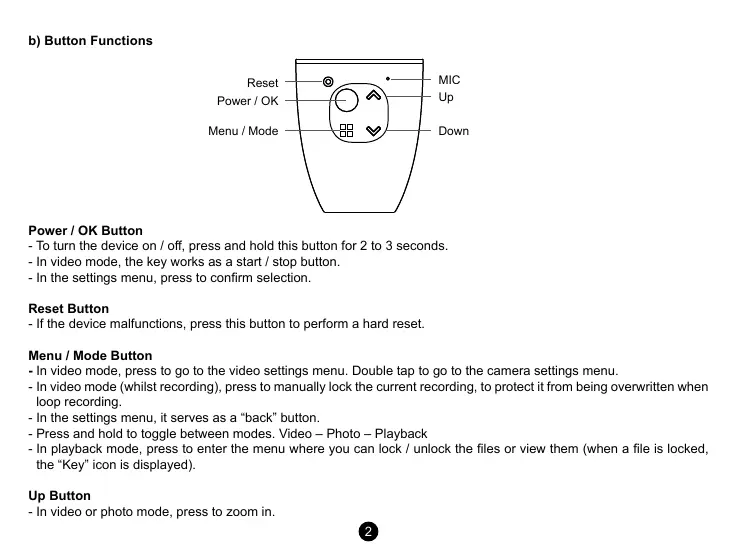
b) Button Functions
Reset
Power / OK
Menu / Mode Down
Up
MIC
Power / OK Button
- To turn the device on / o, press and hold this button for 2 to 3 seconds.
- In video mode, the key works as a start / stop button.
- In the settings menu, press to conrm selection.
Reset Button
- If the device malfunctions, press this button to perform a hard reset.
Menu / Mode Button
- In video mode, press to go to the video settings menu. Double tap to go to the camera settings menu.
- In video mode (whilst recording), press to manually lock the current recording, to protect it from being overwritten when
loop recording.
- In the settings menu, it serves as a “back” button.
- Press and hold to toggle between modes. Video – Photo – Playback
- In playback mode, press to enter the menu where you can lock / unlock the les or view them (when a le is locked,
the “Key” icon is displayed).
Up Button
- In video or photo mode, press to zoom in.


 To Next Page
 Loading...


