4
Basic Setup
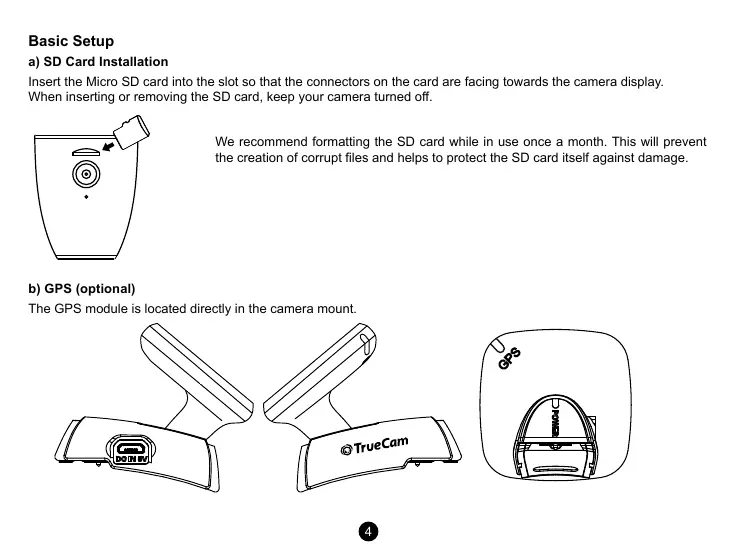
a) SD Card Installation
Insert the Micro SD card into the slot so that the connectors on the card are facing towards the camera display.
When inserting or removing the SD card, keep your camera turned o.
We recommend formatting the SD card while in use once a month. This will prevent
the creation of corrupt les and helps to protect the SD card itself against damage.
b) GPS (optional)
The GPS module is located directly in the camera mount.


 To Next Page
 Loading...


