13
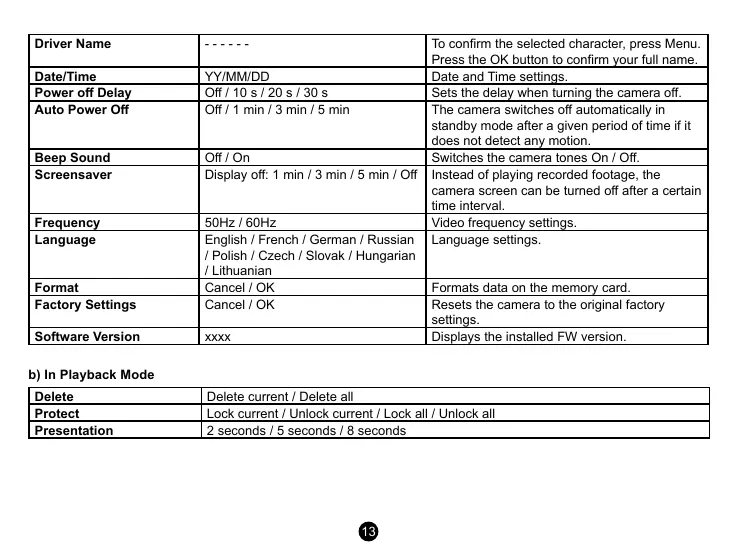
Driver Name
- - - - - - To conrm the selected character, press Menu.
Press the OK button to conrm your full name.
Date/Time
YY/MM/DD Date and Time settings.
Power o Delay
O / 10 s / 20 s / 30 s Sets the delay when turning the camera o.
Auto Power O
O / 1 min / 3 min / 5 min The camera switches o automatically in
standby mode after a given period of time if it
does not detect any motion.
Beep Sound
O / On Switches the camera tones On / O.
Screensaver
Display o: 1 min / 3 min / 5 min / O Instead of playing recorded footage, the
camera screen can be turned o after a certain
time interval.
Frequency
50Hz / 60Hz Video frequency settings.
Language
English / French / German / Russian
/ Polish / Czech / Slovak / Hungarian
/ Lithuanian
Language settings.
Format
Cancel / OK Formats data on the memory card.
Factory Settings
Cancel / OK Resets the camera to the original factory
settings.
Software Version
xxxx Displays the installed FW version.
b) In Playback Mode
Delete
Delete current / Delete all
Protect
Lock current / Unlock current / Lock all / Unlock all
Presentation
2 seconds / 5 seconds / 8 seconds


 To Next Page
 Loading...


