3. Configuring Server
3.1. "Dashboard" Group of Settings
3.1.1. "Summary" Section
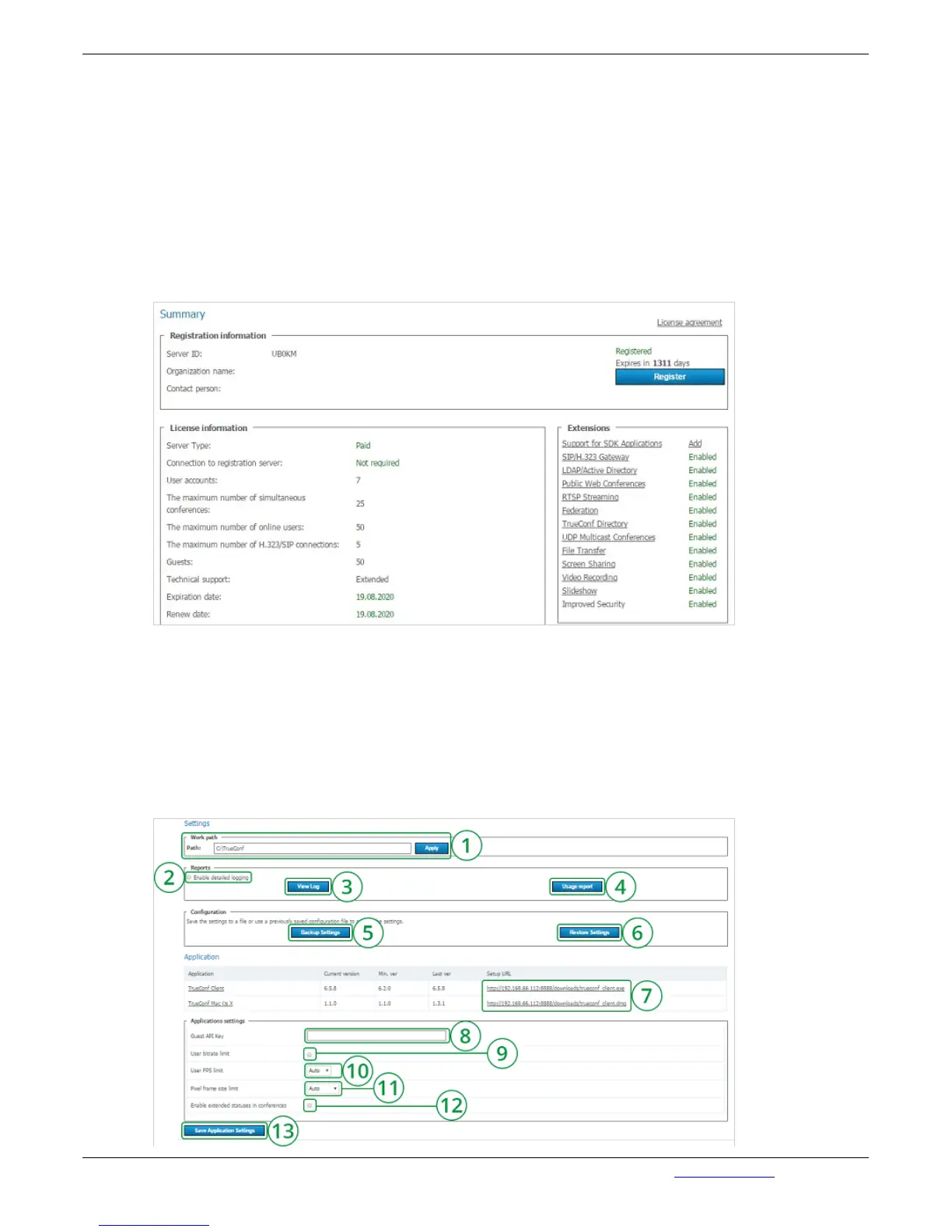
This page contains details on the license, registered contact person and available extensions used by
the server. You can re-register your server here or proceed to purchasing new licenses for your server.
In case of troubles with the registration of the server administrator may contact TrueConf technical
support using the contact information that is displayed in case of an error.
If the server is connected to the Internet, administrator will get notifications about server updates.
Notification sign will appear in the left menu in TrueConf Web Manager by the "Summary" section. On
top of the page a message will be displayed with the link to download new version. After an update the
sign and the notification will disappear.
If connection to the registration server is lost, your sever will be shut down in 12 hours. The scheduled
time of shutdown will be displayed in the tab "Summary".
3.1.2. "Settings" Section


 To Next Page