should open port 4310 access from inside to internet.
How to change port for TrueConf Server Web Manager tool without having to re-install the
server
To do this, go to the servers directory (C:\Program Files (x86)\TrueConf Server\httpconf\conf). In the
conf folder open file listen.conf with a text editing app of your choice and change the port number in
"Listen (port number)" parameter and save changes. This way you can change the port without re-
installing your TrueConf Server.
1.3. Registration
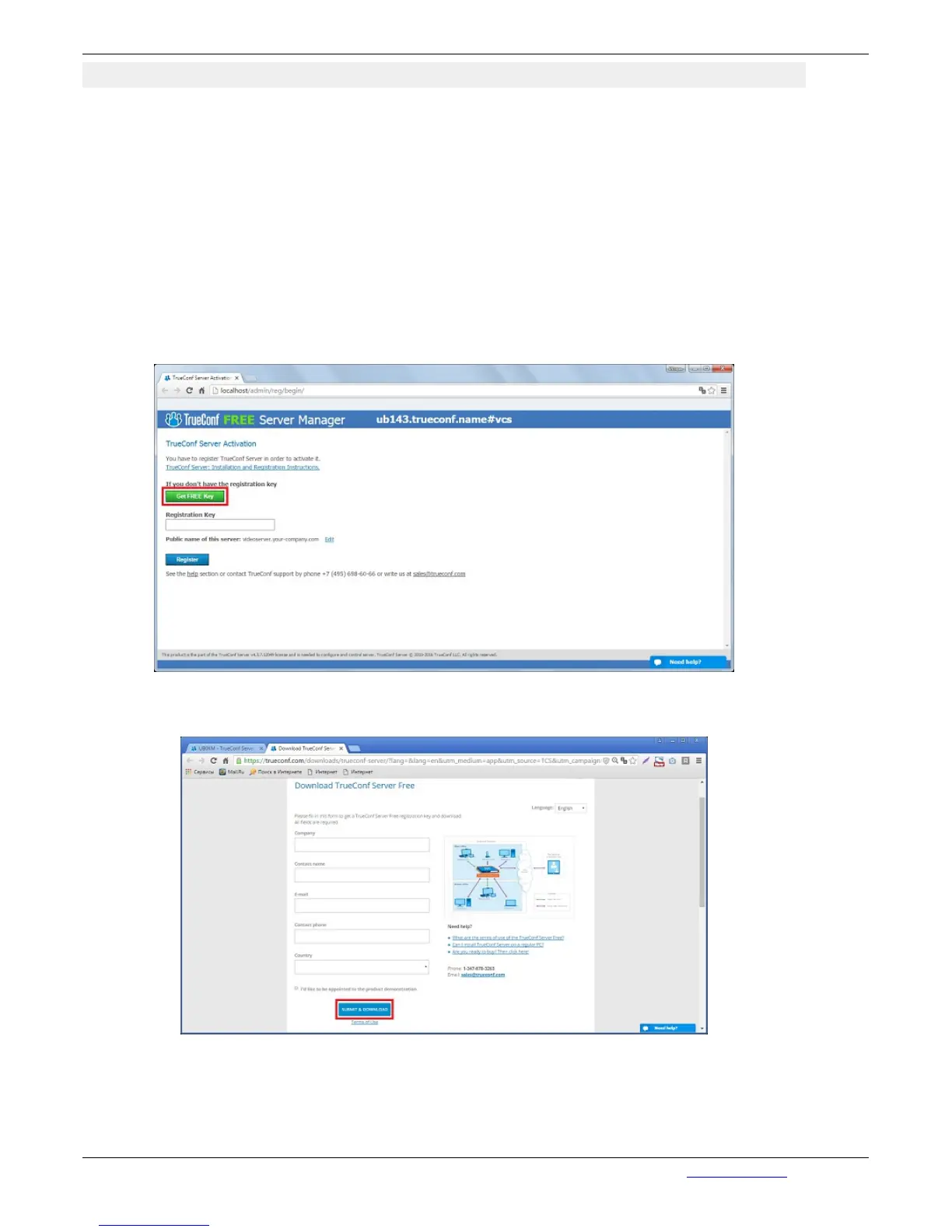
After the installation of your web browser will automatically start server setup interface.
Register the server. To activate the server you have to get a registration key. Click on “Get FREE
Key”:
Click to open a page with application to TrueConf Server Free. Carefully fill all the fields and click on
“Get a Registration Key”:
A registration key will be sent to the email address that you provided:


 To Next Page