1. Link to the instruction on how to setup streaming through Wowza Streaming Cloud in our blog.
2. Configuration name displayed in "Streaming configuration" list on the conference edit page.
3, 5 и 6. You can find necessary information in Wowza Streaming Cloud user’s guide.
4. Wowza Streaming Cloud accepts connections on this port (e.g. 1935 or 1940).
7. This section includes additional settings for current streaming configuration (see “Additional
streaming configuration settings” in present user’s guide).
YouTube
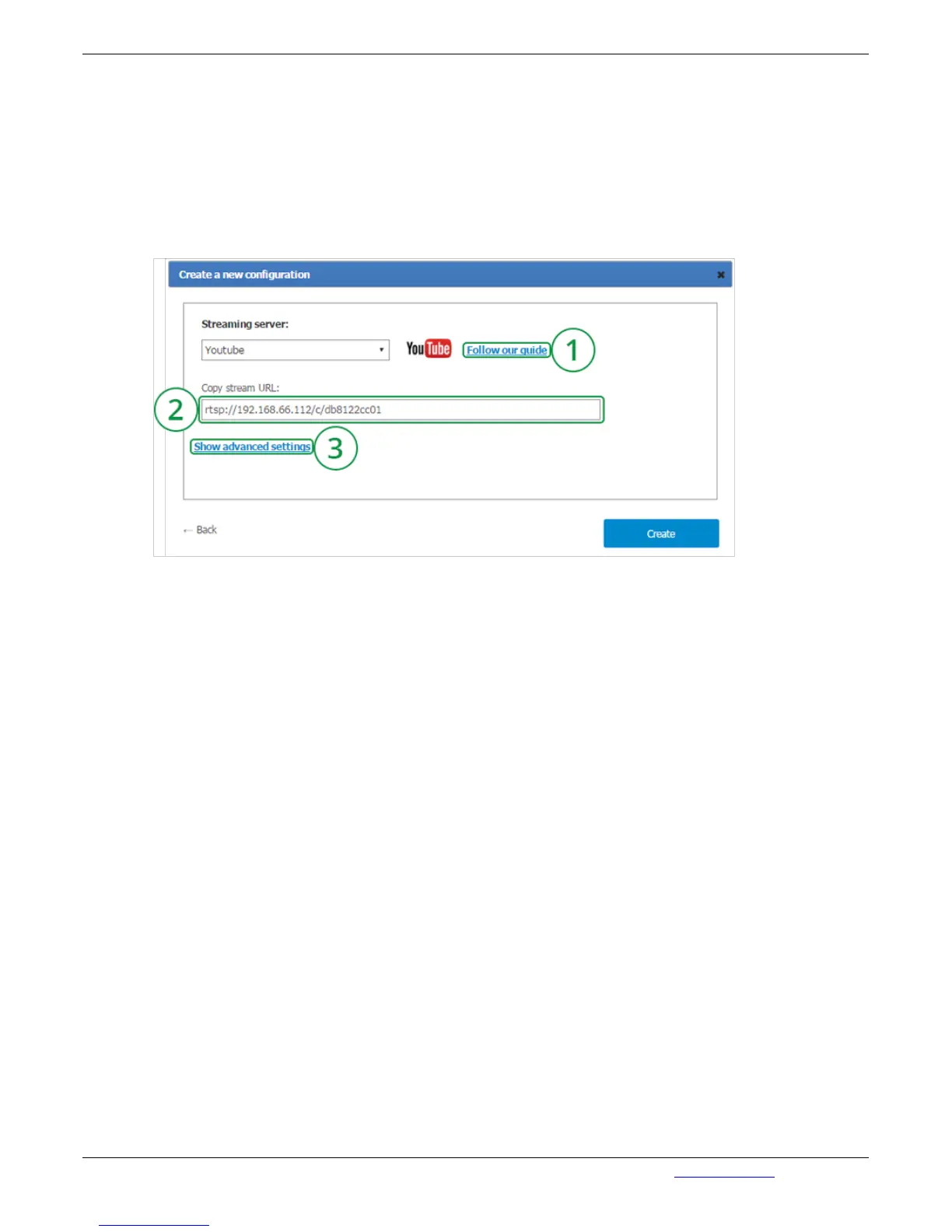
1. Link to the instruction on how to setup streaming via YouTube.
2. Direct link to the conference stream required for the configuration of streaming via Youtube.
3. This section includes additional settings for current streaming configuration (see “Additional
streaming configuration settings” in present user’s guide).
Manual Settings
This section allows you to manually setup streaming for the majority of existing streaming services and
products, including those listed above. TrueConf Server supports two ways of content transmission:
RTSP Publish (aka RTSP Push) and RTSP Pull. When using RTSP Publish, your server notifies
streaming platform about content available for pick up. When using RTSP Pull, the platform itself
collects the content from TrueConf Server.
Publish Manual Setting



 To Next Page