Core Modules 25
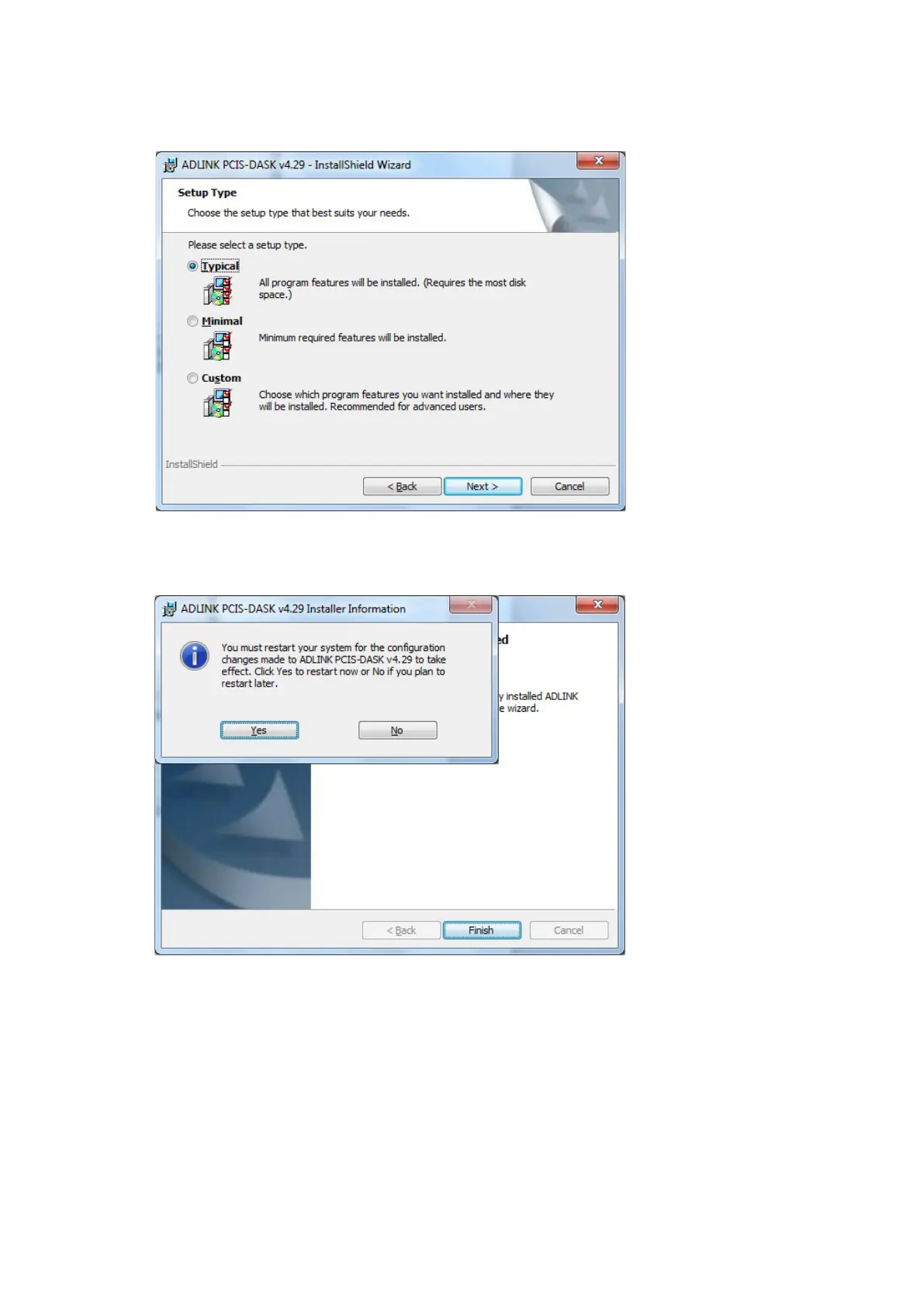
• Press "Next" to confirm "Setup Type" default "Typical".
• On "Ready to Install the program" dialog, press "Install" to confirm settings.
• On "InstallShield Wizard Completed" dialog, press "Finish".
• Press "Yes" to reboot the PC.
• Shut down Windows again and power OFF PC.
Proceed to interface installation (see Section 5.6).
5.2. Interface Installation
NOTICE - Instrument damage!
Static electricity or touching the circuitry can damage the interface.
info@TSE-Systems.com www.TSE-Systems.com


 To Next Page