26 PhenoMaster | Hardware Operating Instructions
• Be sure you are grounded before touching the interface. Briefly touch a grounded, unpainted
metal object or surface to be grounded.
• Avoid touching circuitry on the interface board.
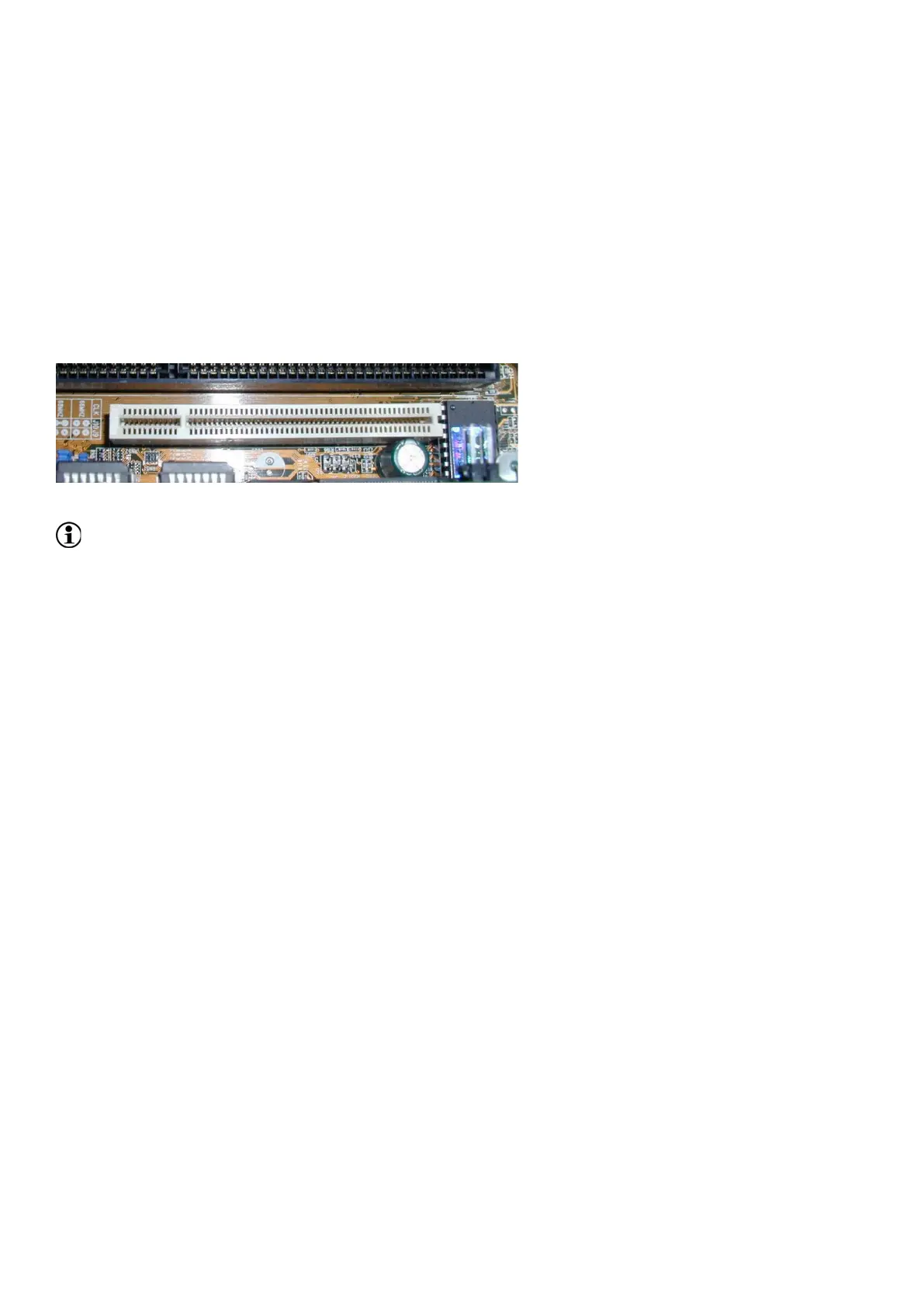
The system requires a PC with a min. of two or three neighboring PCI slots (according to the system
configuration) and should run under Windows7/Windows10.
Two types of calorimetry interfaces could be provided:
• Calorimetry interface1, 37-pin Sub-D jack with an extension to an additional slot piece carrying
a 25-pin Sub-D jack.
• Calorimetry interface2, 37-pin Sub-D jack.
Fig. 6 PCI slot - PC mainboard
Space requirements
Depending on the system, it may be necessary to remove a further slot cover for a 25-pin connection
leading from the interface board.
• Ensure that the PC is powered OFF.
• Disconnect all peripheral devices from the PC.
• Open the PC housing. Insert the interface(s) into a free PCI slot.
• Reclose the housing and secure the slot bracket of the interface with retaining screws.
• Connect monitor, mouse, and keyboard with the PC.
• Power ON the PC.
5.3. System Software
See Software Operating Instructions - Core Modules, Section "General, Setup Installation".
Creating a Short-Cut 5.3.1.
It is also possible to create a short-cut after the installation of the program.
• In data manager, change to the "PhenoMaster" directory.
• With the right-hand mouse key, click "PhenoMaster.exe".
• Drag the file onto the desktop with the right-hand mouse key.
• In the context menu, select "Create short-cut here".
5.4. Windows Settings
Power Options Properties 5.4.1.
• In all the drop-down menus of "Power Schemes" tab, select "Never".
info@TSE-Systems.com www.TSE-Systems.com


 To Next Page