Home
TSE
Laboratory Equipment
PhenoMaster
Page 41
TSE PhenoMaster - Page 41
46 pages
Manual
Save Page as PDF
To Next Page
To Next Page
To Previous Page
To Previous Page
Loading...
Core
M
odule
s
41
Calorimetry
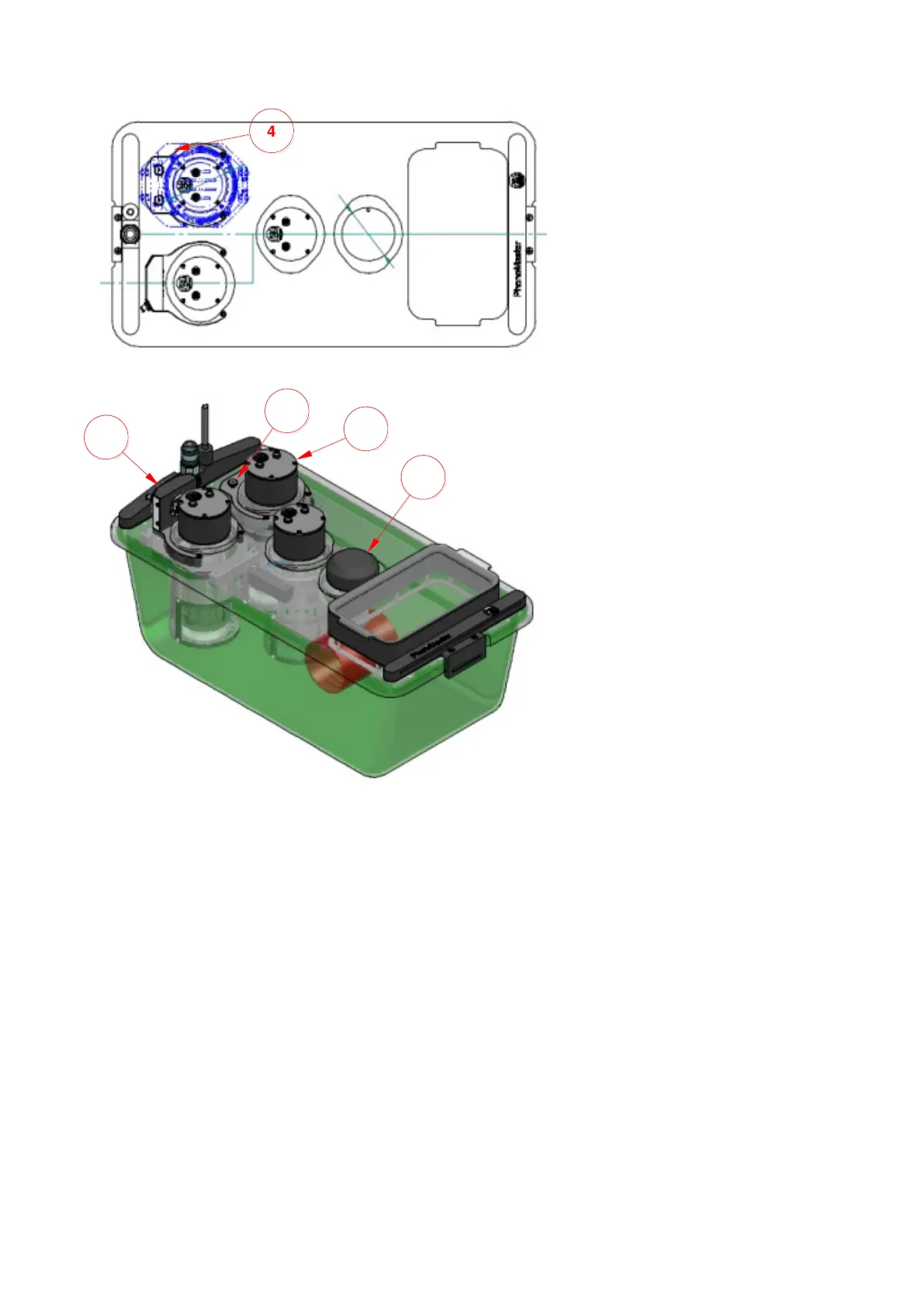
cage w
/ 2x A
ccess Control, 1x
Drink, 1x F
eed, 1x
Body
W
eight
Calorimetry
cage w
/ 1x A
ccess Control, 1x
Drink, 1x F
eed, 1x
Body
W
eight (w
/o sensor)
9
10
5
7
4
info@TSE
-
System
s.com
www.TSE
-
Systems.
com
40
42
Table of Contents
Main Page
Table of Contents
3
Introduction
5
Fig. 1 Actimot2 Result Parameters (Table Data, Binary Data)
5
Fig. 2 Calorimetry Result Parameters
6
Instructions for Safe Operation
8
Notes for the Operator
8
Warranty
8
Notes for the User
9
Explanation of Symbols
9
Warnings, Safety Messages, and Symbols
9
Warnings and Labels on the System
10
Conformity
11
General Safety Instructions
11
Proper Use
11
Fig. 3 Hardware Layout - Rod Nipple
14
Fig. 4 Positioning of O-Ring (Valve Rod)
14
Improper Use
15
Ambient Conditions
16
Room Requirements
16
Loudness in Laboratory
17
Setting up System
17
Space Requirements
17
Transport in Laboratory
18
Disposal
18
Operating Principle
19
System Description
20
Fig. 5 Reference Hardware Module
20
PC Requirements
21
Malware Scanner
21
Whitelist
22
System Software
22
Installation Drivers, Interface, Software
23
Interface Driver
23
Interface Installation
25
System Software
26
Creating a Short-Cut
26
Windows Settings
26
Power Options Properties
26
Fig. 6 PCI Slot - PC Mainboard
26
Disabling Parameter "Automatically Adjust Clock for Daylight Saving Changes
27
Fig. 7 Date and Time Tab (Windows7)
27
Fig. 8 Time Zone Settings (Windows7)
28
Connecting Devices - General
29
Cage Rack / Cage Lid Holder
30
Fig. 9 Cage Lid Holder W/ Inserted Lid
30
System Software
31
Performing a Measurement
32
Maintenance and Cleaning
35
General
35
Cage
36
Cage Lid
36
Plastic Cage Lid
36
Metallic Cage Lid
37
Cage Body (Home Cage)
37
Control Unit, PC, Monitor, and Keyboard
38
Cable
39
Rack
39
Appendix
40
Example Configurations
40
Cage Body Specifications
43


 To Next Page