EasyManua.ls Logo

TSI Instruments AIRFLOW Instruments ProHood PH721 - User Manual

TSI Instruments AIRFLOW Instruments ProHood PH721
64 pages
Print Icon
To Next Page IconTo Next Page
Loading...
OWNER’S MANUAL
Alnor
®
Electronic Balancing Tool
Models EBT720/EBT721
and
AIRFLOW Instruments ProHood
Capture Hood Models PH720/PH721
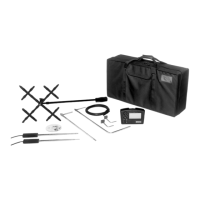
EBT720/PH720 Shown with all
accessory options
EBT721/PH721 Shown with
all accessory options

Table of Contents

Questions and Answers

  • T
    thompsonjanetSep 15, 2025
    What does Error Code 16 mean on a TSI Instruments Power Tool?
    • C
      Chloe YoungSep 16, 2025
      If your TSI Instruments Power Tool displays Error Code 16, it indicates an accessory temperature probe calibration checksum error. You can try performing user calibration.
  • M
    Mr. Robert ShawAug 25, 2025
    What to do if the TSI Instruments Power Tool has a flashing symbol on the display?
    • V
      vincentmillerAug 25, 2025
      If you see a flashing symbol on the display of your TSI Instruments Power Tool, it typically indicates: * Low battery charge. You should replace or recharge the batteries. * Dirty battery contacts. Cleaning the battery contacts might resolve the issue.
  • G
    Gregory TrevinoAug 25, 2025
    What does Error Code 43 mean on a TSI Instruments Power Tool?
    • M
      michaelmcintoshAug 26, 2025
      If your TSI Instruments Power Tool shows Error Code 43, it means the device couldn't send RS232 data because the receiving device was busy for more than 10 seconds. To resolve this: * Ensure that the printer or computer is ready to receive data. * Check the RS232 interface cable for any issues.
  • A
    audrey08Aug 27, 2025
    Why is '888888' flashing on the display of my TSI Instruments Power Tool?
    • B
      bankswilliamAug 27, 2025
      If your TSI Instruments Power Tool displays “888888” flashing, it indicates that the pressure is too high to measure, or if measuring velocity or flow, the pressure at that velocity is too high. Refer to the specifications page to check the maximum pressure.
  • M
    Miranda CurrySep 16, 2025
    What does Error Code 17 mean on a TSI Instruments Power Tool?
    • S
      Samuel KirkSep 17, 2025
      If your TSI Instruments Power Tool displays Error Code 17, it indicates a hood temperature probe calibration checksum error. You can try performing user calibration.
  • G
    Gina MullinsSep 23, 2025
    What does Error Code 52 mean on a TSI Instruments Power Tool?
    • B
      Betty HubbardSep 23, 2025
      If your TSI Instruments Power Tool displays Error Code 52, it means the lithium battery voltage is too low. Consider replacing the lithium battery.
  • S
    Scott JacksonSep 8, 2025
    What does Error Code 61 mean on a TSI Instruments Power Tool?
    • D
      Dakota SmithSep 8, 2025
      If your TSI Instruments Power Tool displays Error Code 61, it means the humidity sensor voltage at 80% RH is out of range. You can try performing user calibration.
  • Q
    qwhiteSep 9, 2025
    What does Error Code 62 mean on a TSI Instruments Power Tool?
    • J
      Jeremy HurleySep 9, 2025
      If your TSI Instruments Power Tool displays Error Code 62, it indicates that the pressure sensor gain factor A is out of range. Try performing user calibration.
  • M
    Melissa JohnsonSep 2, 2025
    What does Error Code 31 mean on a TSI Instruments Power Tool device?
    • N
      nortonjosephSep 2, 2025
      If your TSI Instruments Power Tool displays Error Code 31, it means the pressure calibration voltage at 5 in. H2O must be less than the pressure calibration voltage at 15 in. H2O. Make sure calibration pressures are correct.
  • D
    Donald RodriguezAug 31, 2025
    What does Error Code 36 indicate on a TSI Instruments Power Tool?
    • D
      Daniel SmithAug 31, 2025
      If your TSI Instruments Power Tool displays Error Code 36, it means the flap closed pressure was less than the flap open pressure, or the flap open versus flap closed pressure ratio exceeds allowed limits. Try taking the data again.

Summary

LIMITATION OF WARRANTY AND LIABILITY

Service Policy

Information on contacting customer service for instrument issues and repairs.

Chapter 1. Introduction

Instrument Description

Provides a detailed overview of the components included with the EBT/PH models.

Chapter 2. Unpacking and Setting Up

Preparing the Instrument for Use

Guides on preparing the instrument before operation, including power source selection.

Power the Micromanometer with the AC Adapter

Instructions on how to power the micromanometer using the AC adapter.

Power the Micromanometer with Batteries

Details on powering the micromanometer using AA-size batteries.

Chapter 3. Getting Started

Keypad Operation

Explains the function of each key on the micromanometer keypad for operation.

Chapter 4. How To

Select a Tool;Probe

Guides on selecting the appropriate measurement device or probe for the task.

Delete Sample Data

Options for deleting all sample data, data for a specific Test ID, or a single sample.

Select;Set a K-factor for a Tool

How to enter or adjust K-factors to calibrate velocity and flow measurements.

Turn Back Pressure Compensation On and Off

Instructions on enabling or disabling back pressure compensation for accurate flow readings.

Take Back Pressure Compensated Hood Readings

Step-by-step procedure for performing back pressure compensated flow measurements.

Calibrate the Micromanometer (User Calibration)

Procedures for performing user calibration of the micromanometer's sensors.

Select User Calibration or Factory Calibration

Option to switch between user-calibrated and factory-calibrated settings.

Connect and Download Data to a Computer

Instructions for connecting to a PC and downloading data using software.

Data Acquisition (Polling)

Details on using the polling command for real-time data acquisition.

Chapter 6. Flow Measurements Using the Capture Hood

Non-Backpressure Compensated Measurements

Procedures for taking flow measurements without back pressure compensation.

Single Measurements

How to initiate and take individual flow measurements.

Running Average Measurements

Steps for taking and holding running average flow measurements.

Backpressure Compensated Measurements

Detailed steps for performing accurate flow measurements with back pressure compensation.

Chapter 7. Maintenance and Troubleshooting

Calibration

Information on annual calibration services and shipping procedures.

Troubleshooting the Instrument

Common symptoms, possible causes, and corrective actions for instrument issues.

Error Codes

Lists specific error codes, their causes, and recommended corrective actions.

Appendix A. Back Pressure

Verifying Flow Measurements

Recommended practices for verifying flow measurements using alternate methods.

Specifications

TSI Instruments AIRFLOW Instruments ProHood PH721 Specifications

General IconGeneral
Data LoggingYes
Storage Temperature14 to 140 °F (-10 to 60 °C)
Battery TypeFour size AA batteries or optional AC adapter
Measurement Range50 to 2500 fpm (0.25 to 12.7 m/s)
Accuracy (Air Velocity)±3% of reading
DisplayLCD

Related product manuals