EasyManua.ls Logo

TSI Instruments CERTIFIER FA - User Manual

TSI Instruments CERTIFIER FA
42 pages
Print Icon
To Next Page IconTo Next Page
Loading...
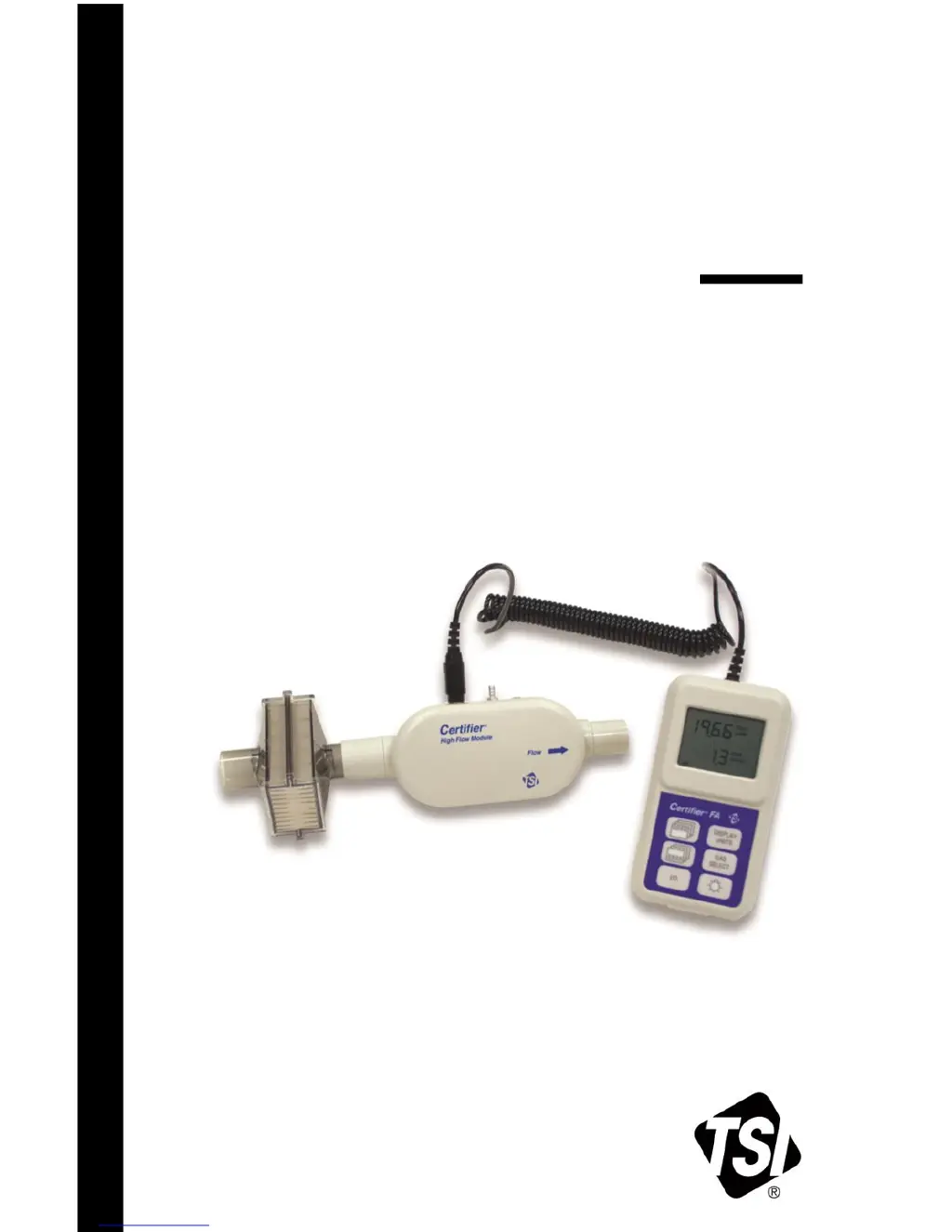
CERTIFIER
®
FA
TEST SYSTEM
OPERATOR’S MANUAL
P/N 1980436, REVISION L
FEBRUARY 2017

Table of Contents

Questions and Answers

  • R
    Rebecca ThomasAug 2, 2025
    Why does the flow rate not read zero when no gas is flowing on my TSI Instruments CERTIFIER FA Test Equipment?
    • D
      douglaskennedyAug 2, 2025
      If the flow rate on your TSI Instruments Test Equipment doesn't read zero when no gas is flowing, especially when set to N O, it might be because the meter wasn't purged with the gas displayed on the controller. To resolve this, purge the meter with the gas displayed on the controller or press the gas select key to change to the desired gas.
  • R
    Richard BakerAug 7, 2025
    How to fix a TSI Instruments Test Equipment controller module that won’t turn on?
    • M
      Michael MorrisAug 7, 2025
      If your TSI Instruments Test Equipment's controller module won’t turn on, or turns on and off, the batteries may be depleted or installed backwards. Check that the batteries are installed correctly and replace them if needed.
  • M
    Mary NewmanAug 12, 2025
    What to do if measurements aren't displayed on my TSI Instruments CERTIFIER FA?
    • A
      Andrew HuntAug 12, 2025
      If measurements aren’t displayed on your TSI Instruments Test Equipment even though the controller module is on, the flow module might not be connected to the controller module. Ensure that you connect the flow module to the controller module.
  • J
    Julie AllisonAug 17, 2025
    How to disconnect the flow module from the controller module on TSI Instruments CERTIFIER FA Test Equipment?
    • C
      Charlene BarryAug 17, 2025
      If you're unable to disconnect the flow module from the controller module on your TSI Instruments Test Equipment, you might be pulling on the cable instead of the connector. Pull the locking connector (not the cable) to disengage the connector lock.
  • R
    Robin LongAug 22, 2025
    What does '---' on the display of my TSI Instruments Test Equipment mean?
    • M
      Megan ArmstrongAug 22, 2025
      If ‘---‘ is shown on the display of your TSI Instruments Test Equipment, the measurement is likely out of range. Check the range for the displayed measurement and only make measurements within that range.
  • C
    Carly ShieldsAug 27, 2025
    Why can’t my TSI Instruments CERTIFIER FA Test Equipment display %O ?
    • C
      crystal27Aug 27, 2025
      If your TSI Instruments Test Equipment can’t display %O , the oxygen sensor might not be connected. Connect the oxygen sensor cable to the High Flow module and the oxygen sensor.

Summary

1 Introduction

1.1 Parts List

Lists all components of the test system and their part numbers.

3 Operation

3.1 Power Up

Details the procedure for powering on the Certifier® FA Test System.

3.4 Measurements

Details the various parameters that can be measured and displayed.

3.5 Required Pre-test Calibrations

Outlines necessary calibration steps before using the system.

4 Troubleshooting

6 Specifications

6.4 Test Measurements

Lists the measurements the system can perform and their specifications.

TSI Instruments CERTIFIER FA Specifications

General IconGeneral
Temperature Range0 to 50°C
Battery Life8 hours
DisplayColor touchscreen
Data StorageInternal memory for up to 1000 tests
ConnectivityUSB, Bluetooth
Accuracy±2% of reading or ±0.01 L/min, whichever is greater
Resolution0.01 L/min
Temperature Accuracy±0.5 °C (±1 °F)

Related product manuals