www.ttfone.com9
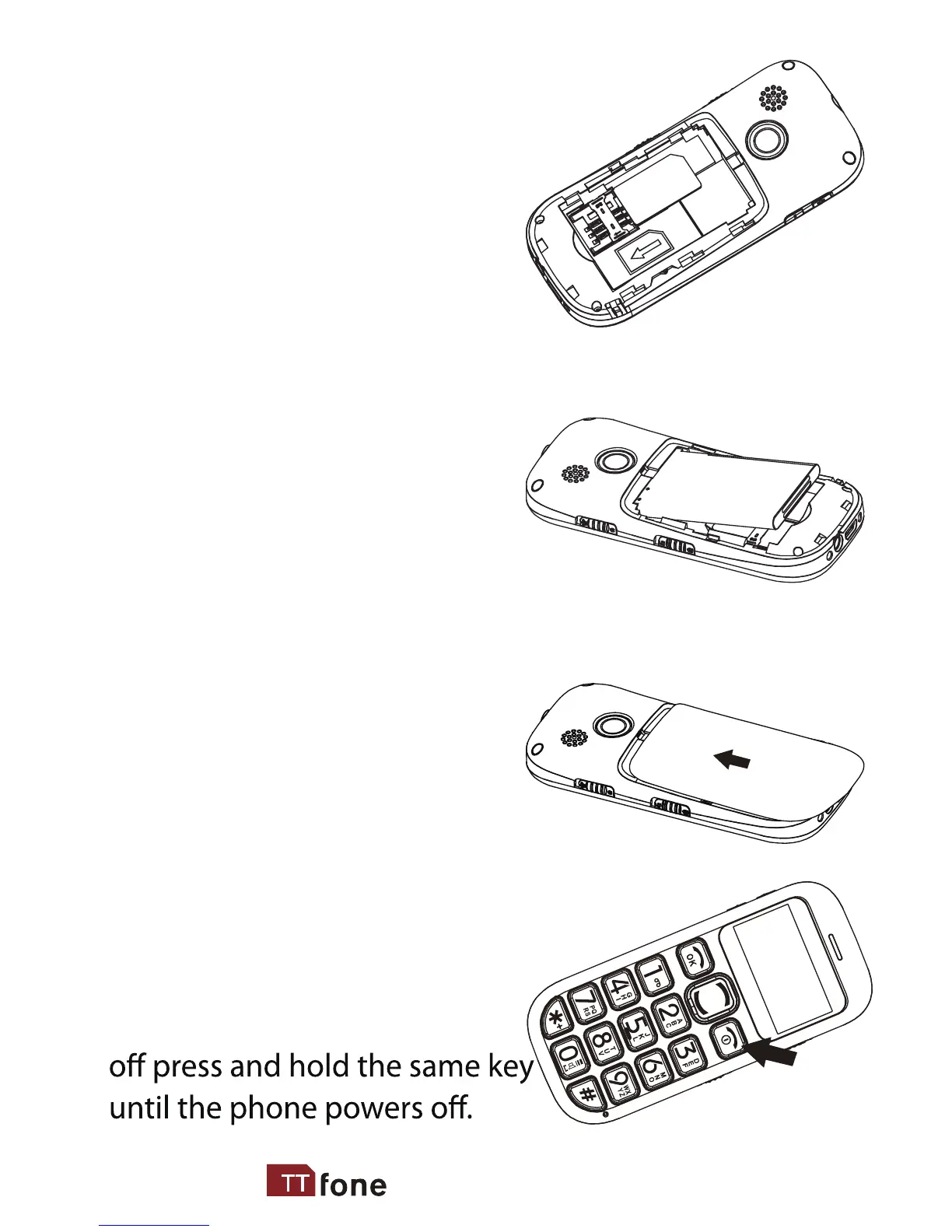
2. Install SIM card by
sliding it into its nest and
under the metal holding
plate. (To remove the SIM
card, gently press on it and
slide it out of its nest.)
3. Install the battery into
the battery slot, making
sure that the three metal-
lic stripes on the battery
align with the three metallic
prongs in the battery slot.
4. Put on the battery cover.
Make sure the cover is com-
pletely matched and a click
sound can be heard.
5. To turn the phone on
press and hold the red key until
the screen lights up. To turn it



 To Next Page