EasyManua.ls Logo

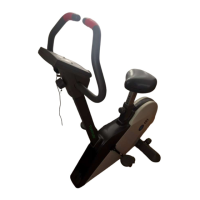
Tunturi Aircycle E603 - Operating the Aircycle.m2

Tunturi Aircycle E603
20 pages
Print Icon
To Next Page IconTo Next Page
To Previous Page IconTo Previous Page
Loading...
OPERATING
THE
AIRCYCLE
The
Tunturi
Professional
Air-
cycle
lets
you
create
an
exercise
program
that
meets
your
specific
needs.
You
can
determine
the
time,
speed,
distance,
and
RPMs
that
you
cycle,
and
you
can
monitor
your
calorie
expenditure
for
each
workout.
You
should
be
familiar
with
the
electronics
module
and
its
features
before
you
begin
exercising.
Here
is
a
list
explaining
the
use
of
the
keys
and
the
display
window.
KEY
FUNCTIONS
START/STOP:
Use
this
key
to
turn
the
module
on.
The
module
shuts
off
automatically
after
three
minutes
if
it
is
not
being
used.
Press
this
key
to
enter
start
mode*
and
begin
tracking
the
speed,
time,
distance,
RPMs,
and
calories
during
your
exercise
ses¬
sion.
If
you
press
START/STOP
again,
the
module
will
enter
stop
mode
and
the
value
of
the
selected
mode
remains
and
the
other
mode
values
are
retained
in
memory
until
the
electronics
module
turns
off
or
you
press
RESET.
The
word
STOP
appears
in
the
display
when
you
stop
the
electronics
module.
SET
,
SET
:
Press
these
keys
to
preset
your
exercise
time
or
distance.
Before
choosing
this
op¬
tion,
turn
the
electronics
module
on
and
make
sure
STOP
appears
in
the
display.
These
keys
are
discussed
in
more
detail
in
the
next
section.
To
reset
the
values
for
TIME,
DIS¬
TANCE,
or
CALORIES
to
zero,
press
the
SET
and
SET
keys
simultaneously
when
the
value
you
want
to
reset
is
displayed
in
the
window.
MODE
Use
this
key
to
step
through
the
five
modes
in
the
display
window.
Pressing
MODE
moves
the
arrow
in
the
display
one
position
to
the
right.
Modes
are
always
selected
in
sequence.
Tl
M
E:
Tracks
the
elapsed
time
of
each
exercise
session
from
0
to
99
minutes.
If
you
preset
your
workout
time,
the
electronics
module
begins
to
count
down.
The
remaining
time
appears
in
the
display.
SPEED:
Calculates
miles
per
hour
(mile/h)
from
0
to
99.99.
DISTANCE:
Tracks
the
elapsed
distance
traveled
during
the
ex¬
ercise
session
from
0
to
99.99
miles.
If
you
preset
your
workout
distance,
the
electronics
module
begins
to
count
down.
The
remaining
distance
appears
in
the
display.
RPM:
CALCULATES
revolutions
from
0
to
700
RPMs.
The
RPM
bar
graph
also
shows
the
revolutions
per
minute
(RPM
x
100)
from
0
to
700
RPMs.
The
RPM
bar
graph
is
always
dis¬
played
regardless
of
other
modes
you
may
have
selected.
CALORIES:
The
module
calculates
the
approximate
calories
consumed
during
your
exercise
session.
SCAN:
To
enter
SCAN
mode,
press
MODE
until
the
arrow
points
to
TIME.
The
speed,,
time,
distance,
RPMs,
and
calories
modes
are
dis¬
played
at
5-second
Intervals
throughout
your
workout
session.
The
word
SCAN
appears
in
the
display.
Press
MODE
to
leave
SCAN
mode.
The
word
SCAN
dis¬
appears
from
the
screen.
12

Related product manuals