EasyManua.ls Logo

Tunturi Aircycle E603 - Aircycle Setup and Assembly

Tunturi Aircycle E603
20 pages
Print Icon
To Next Page IconTo Next Page
To Previous Page IconTo Previous Page
Loading...
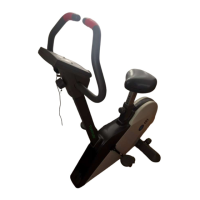
AIRCYCLE
SETUP
AND
ASSEMBLY
Your
Tunturi
Aircycle
is
shipped
with
the
parts
and
tools
required
for
assembly.
UNPACKING
Take
the
parts
of
the
cycle
out
of
the
box
and
set
them
on
the
floor.
To
identify
the
parts
refer
to
the
ex¬
ploded
diagram.
Make
sure
that
you
have
all
the
following
items:
Cycle
assembly
parts
-
Frame
-
Center
post
-
Front
stand
tube
-
Rear
stand
tube
-
Four
stand
tube
end
caps
-
Two
pedals
-
Electronics
module
(batteries
included)
-
Seat
-
Two
handlebars
Tools
-
Hex
key
wrench,
5mm
-
Combination
wrench,
8mm
x
12mm
x
15mm
Fasteners
and
other
hardware
-
4
button-head,
hex-drive
bolts
(5/16”
x
V
2
)
ASSEMBLY
In
these
instructions,
assume
that
you
are
sitting
on
the
cycle
to
determine
the
direction
of
front,
back,
right,
and
left.
1.
Attach
the
rear
stand
tube
to
the
frame.
a.
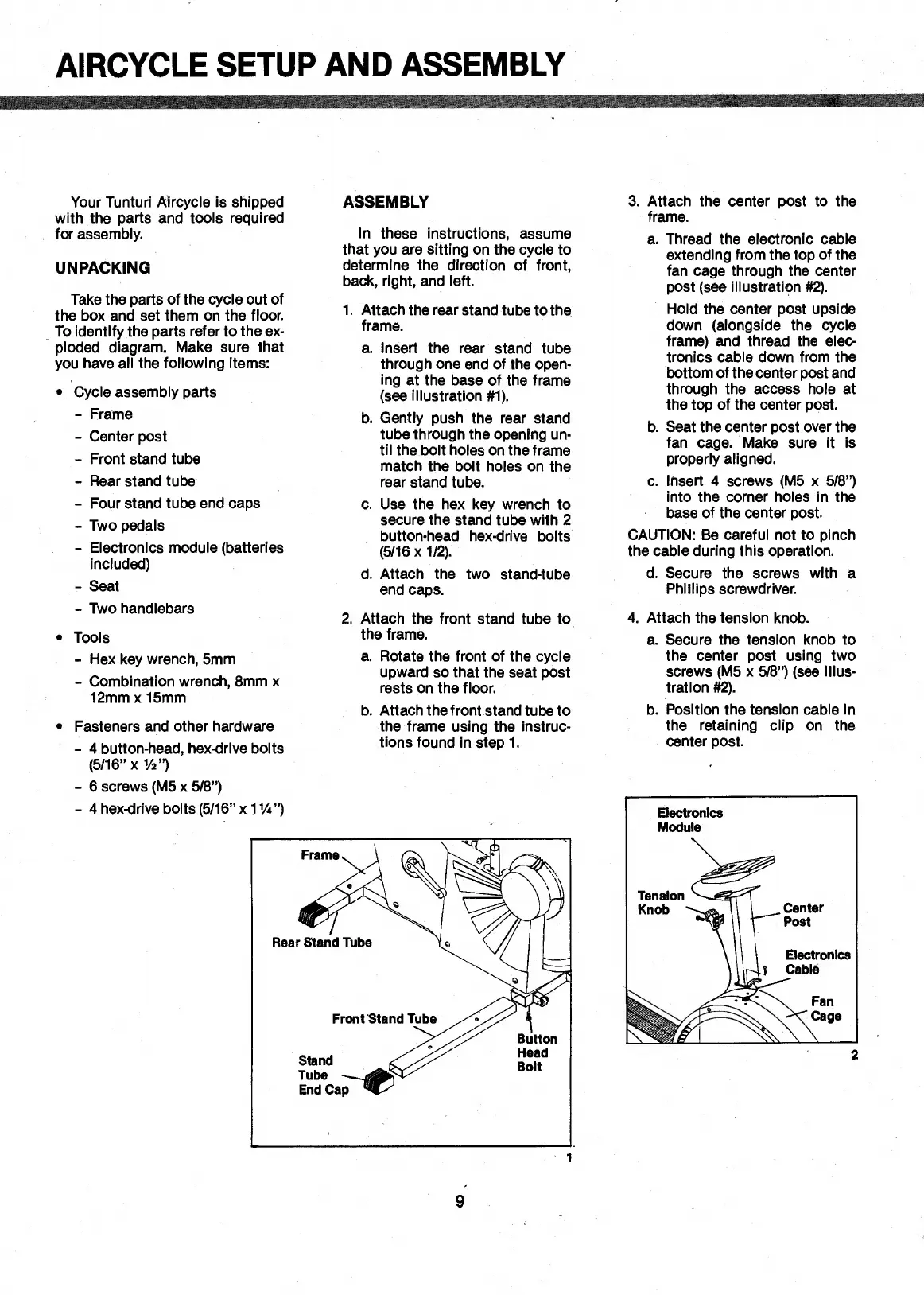
Insert
the
rear
stand
tube
through
one
end
of
the
open¬
ing
at
the
base
of
the
frame
(see
illustration
#1).
b.
Gently
push
the
rear
stand
tube
through
the
opening
un¬
til
the
bolt
holes
on
the
frame
match
the
bolt
holes
on
the
rear
stand
tube.
c.
Use
the
hex
key
wrench
to
secure
the
stand
tube
with
2
button-head
hex-drive
bolts
(5/16
x
1/2).
d.
Attach
the
two
stand-tube
end
caps.
2.
Attach
the
front
stand
tube
to
the
frame.
a.
Rotate
the
front
of
the
cycle
upward
so
that
the
seat
post
rests
on
the
floor.
b.
Attach
the
front
stand
tube
to
the
frame
using
the
instruc¬
tions
found
in
step
1.
3.
Attach
the
center
post
to
the
frame.
a.
Thread
the
electronic
cable
extending
from
the
top
of
the
fan
cage
through
the
center
post
(see
illustration
#2).
Hold
the
center
post
upside
down
(alongside
the
cycle
frame)
and
thread
the
elec¬
tronics
cable
down
from
the
bottom
of
the
center
post
and
through
the
access
hole
at
the
top
of
the
center
post.
b.
Seat
the
center
post
over
the
fan
cage.
Make
sure
it
is
properly
aligned.
c.
Insert
4
screws
(M5
x
5/8”)
into
the
corner
holes
in
the
base
of
the
center
post.
CAUTION:
Be
careful
not
to
pinch
the
cable
during
this
operation.
d.
Secure
the
screws
with
a
Phillips
screwdriver.
4.
Attach
the
tension
knob.
a.
Secure
the
tension
knob
to
the
center
post
using
two
screws
(M5
x
5/8”)
(see
illus¬
tration
#2).
b.
Position
the
tension
cable
in
the
retaining
clip
on
the
center
post.
2
-
6
screws
(M5
x
5/8”)
-
4
hex-drive
bolts
(5/16”
xIVi”)
9

Related product manuals