6
dial: set time (10-180 minutes), distance (3-100 km) or
energy consumption (50 - 1999 kcal). Conrm your
selection by pressing the selection dial.
5. Start your training session by pedalling. Using the
selection dial, you can change the heart rate level (80-
220). During training, you can display resistance or heart
rate using the selection dial.
6. Once the target value has been achieved, the meter
gives an audio signal. You can continue with your
exercise if you wish.
7. To stop the training session, press the BACK/STOP button.
You can then stop the session by selecting EXIT, save the
session to the memory by selecting SAVE AND EXIT or
continue your training session by selecting CONTINUE.
WATT CONTROL
By selecting the WATT CONTROL programme, you can set
the desired effort value in watts, i.e. pedalling effort will be
independent of pedal rotations. The set effort value can
also be changed during the workout.
1. Select WATT CONTROL.
2. Set the effort level (20 – 350 Watt) of your training session
using the selection dial. Conrm your selection by
pressing the selection dial.
3. Using the selection dial, choose your target duration
for the session measured in time, distance or energy
consumption. Conrm your selection by pressing the
selection dial.
4. Set the target value for the session using the selection
dial: set time (10-180 minutes), distance (3-100 km) or
energy consumption (50 - 1999 kcal). Conrm your
selection by pressing the selection dial.
5. Start your training session by pedalling. You can increase
or decrease the resistance (20 - 350 Watt) using the
selection dial. During training, you can display effort or
heart rate using the selection dial.
6. Once the target value has been achieved, the meter
gives an audio signal. You can continue with your
exercise if you wish.
7. To stop the training session, press the BACK/STOP button.
You can then stop the session by selecting EXIT, save the
session to the memory by selecting SAVE AND EXIT or
continue your training session by selecting CONTINUE.
PROGRAMMES
This programme contains ready-made training proles.
The programme changes automatically the intensity level
during your workout. The display shows the prole and the
changes, and the intensity can be manually adjusted.
1. Select PROGRAMMES.
2.
Select a programme (pre-set prole P1 to P10 & user
prole P1 to P10) by using the selection dial. Proles P1-P5
are Watt control programmes, P6-P10 are target heart
rate programmes requiring heart rate measurement.
Conrm your selection by pressing the selection dial.
3. Using the selection dial, choose your target duration for
the session measured in time or distance. Conrm your
selection by pressing the selection dial.
4. Set the target value for the session using the selection
dial: time (10-180 minutes) or distance (3-100 km).
Conrm your selection by pressing the selection dial.
5. Start the programme by pedalling. You can increase or
decrease the resistance using the selection dial. During
training, you can display effort or heart rate using the
selection dial. The heart rate display requires heart rate
measurement.
6. Once the target value has been achieved, the meter
gives an audio signal. You can continue with your
exercise if you wish.
7. To stop the training session, press the BACK/STOP button.
You can then stop the session by selecting EXIT, save the
session to the memory by selecting SAVE AND EXIT or
continue your training session by selecting CONTINUE.
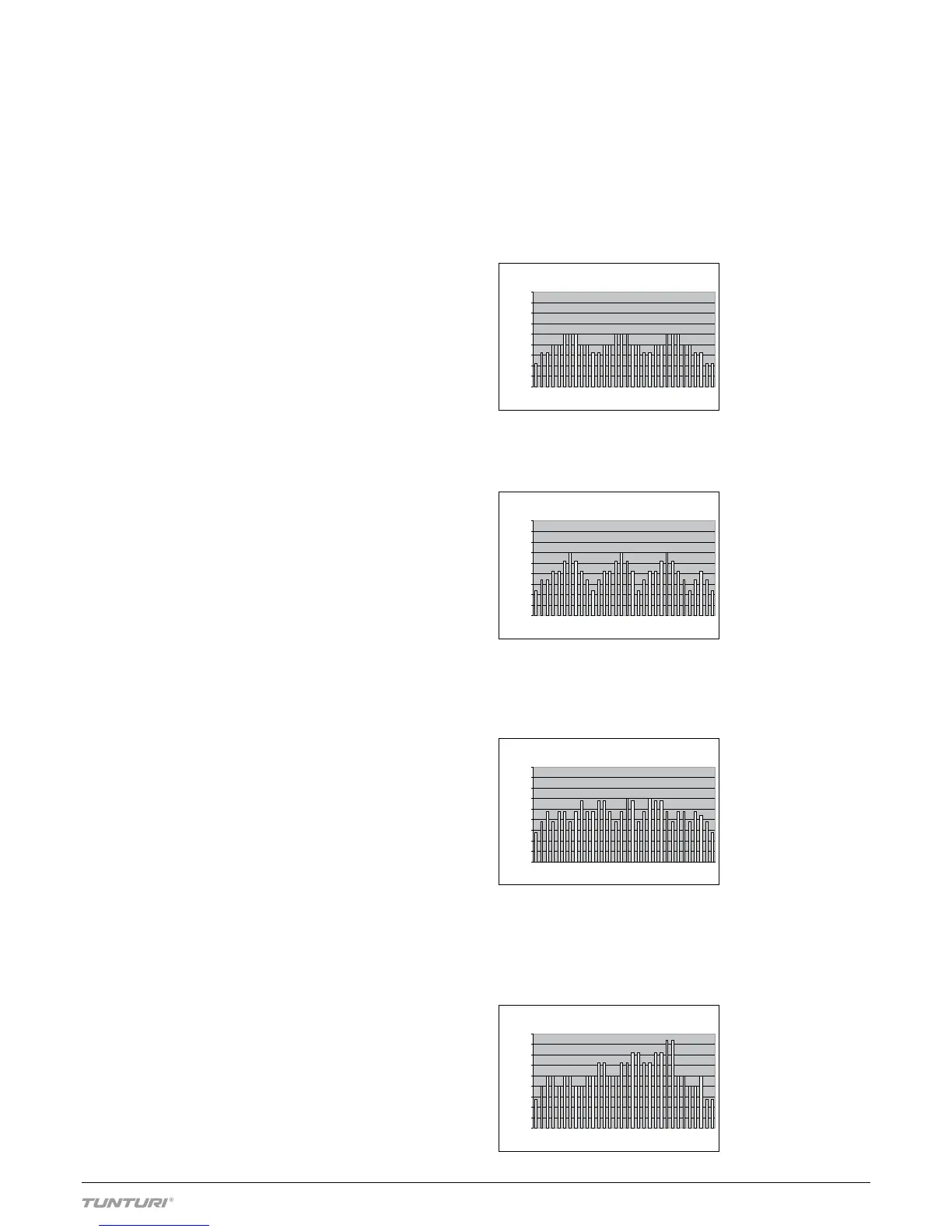
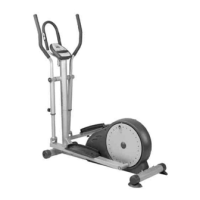
PROFILES P1-P5: WATT CONTROL PROGRAMMES
PROFILE P1. 3-peak effort prole for the improvement of
oxygen uptake capacity. With relatively low yet long lasting
peaks, this prole is suitable for beginners. With default
setting, max. Watt value is 125, average Watt value is 98.


 To Next Page