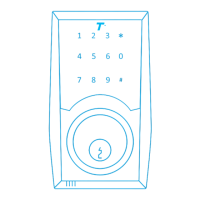
TurboLock TL111 PRO 7
2.3 Battery Information
The lock requires four standard or rechargeable ‘AAA’ batteries. New batteries should be installed as soon as possible after
receiving the rst low-battery warning (three sets of triple beeps). After that rst notication, the lock will only have enough power for
approximately 50 uses before the batteries are fully depleted. Low-battery notication will come from the lock itself.
2.4 Usage Overview
The easiest way to use the lock is via proximity. With the app open, tap the lock icon to unlock the door directly. In addition to this
method, the TL111 PRO provides other ways to open your door. Each time the lock engages and unlocks the door, regardless
of entry method, the door can only be opened while the backlight is still on and the lock is beeping. After it stops, the lock will
automatically engage again and lock the door.
Using the Admin Password
Use the keypad to enter the Admin Password, and then press ‘#’ to unlock the door.
For added security, the Admin Password must be changed from the manufacturer’s default after installation and initial testing.
See Section 6.
Using the Emergency Power Port
Supply power via the Emergency Power Port on the bottom of the lock. The backlight will turn on indicating the lock is receiving
power. Enter a password and then press ‘#’ to unlock the door as usual.
Using a User Passcode
Use the keypad to enter the passcode, then press ‘#’ to unlock the door.
User Passwords (eKeys) may have restricted access according to the app admin’s discretion.
Passive Function
After turning this function on, you can open the door directly, no password is needed.
• The TL111 PRO features a Mute Function. See Section 8.
• If a password has been entered wrong 5x in a row, regardless of the entry method, the lock will go into a 5-minute period
of inactivity where it cannot be used, except with the included physical key. This is a security feature designed to prevent
unwanted parties from using the lock.


 To Next Page