6 | P a g e
ABOUT: HOW TO USE THIS PAGE
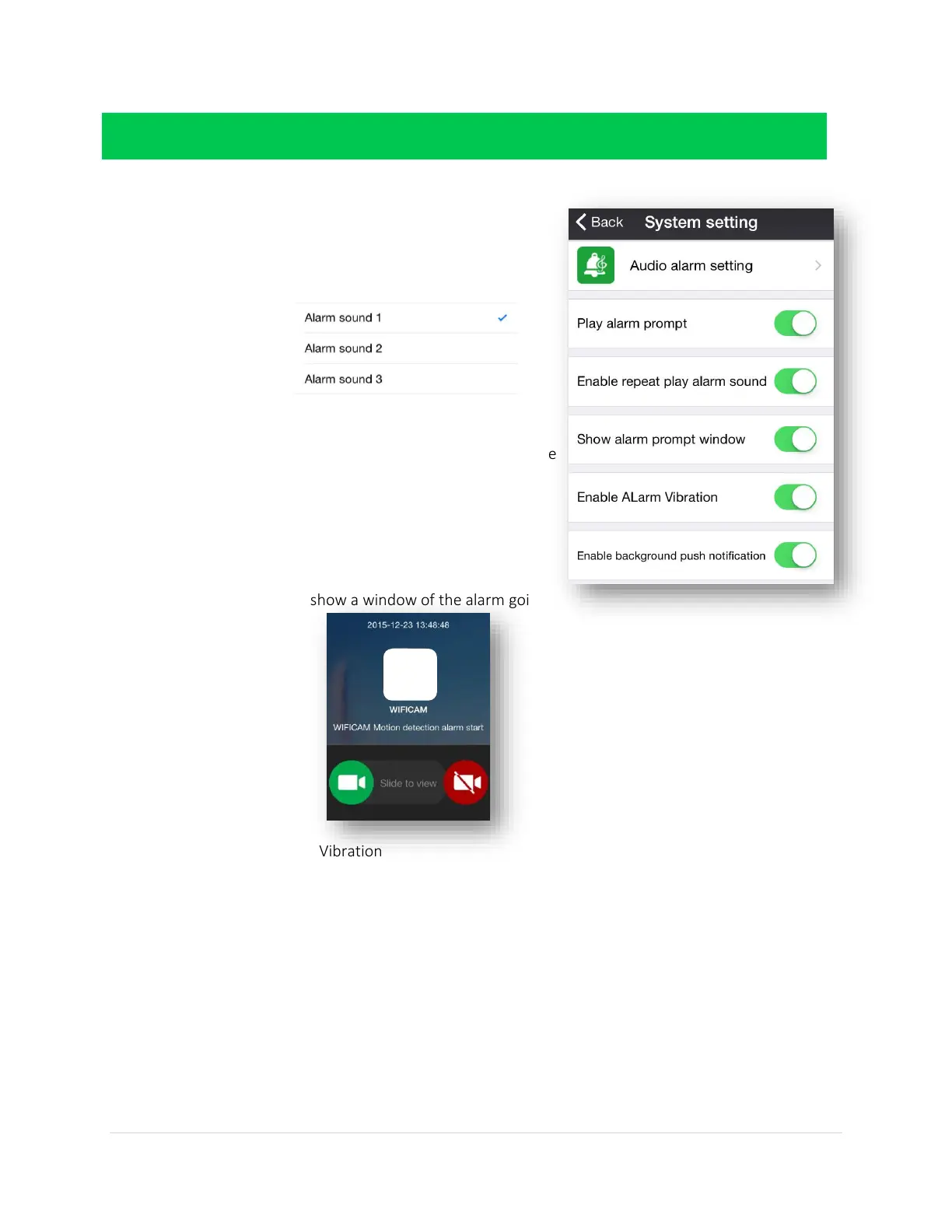
System setting
o Audio alarm setting
Choose 3 different alarm settings
o Play alarm prompt
Turns on the alarm prompt which will
alert you depending on your settings we
will discuss later on (motion detection,
noise, etc.)
o Enable repeat alarm sound
Will continue to repeat the alarm until
you shut it off and view the notification
o Show alarm prompt window
Will show a window of the alarm going
off
o Enable Alarm Vibration
Will vibrate your phone when it gives
you an alert
o Enable background push notification
Alerts will occur even when the app is
not open
Alerts will show up when on a drop
down on your phone if you’re in another
application



 To Next Page