8 | P a g e
OPERATING YOUR CAMERA VIA YOUR MOBILE PHONE:
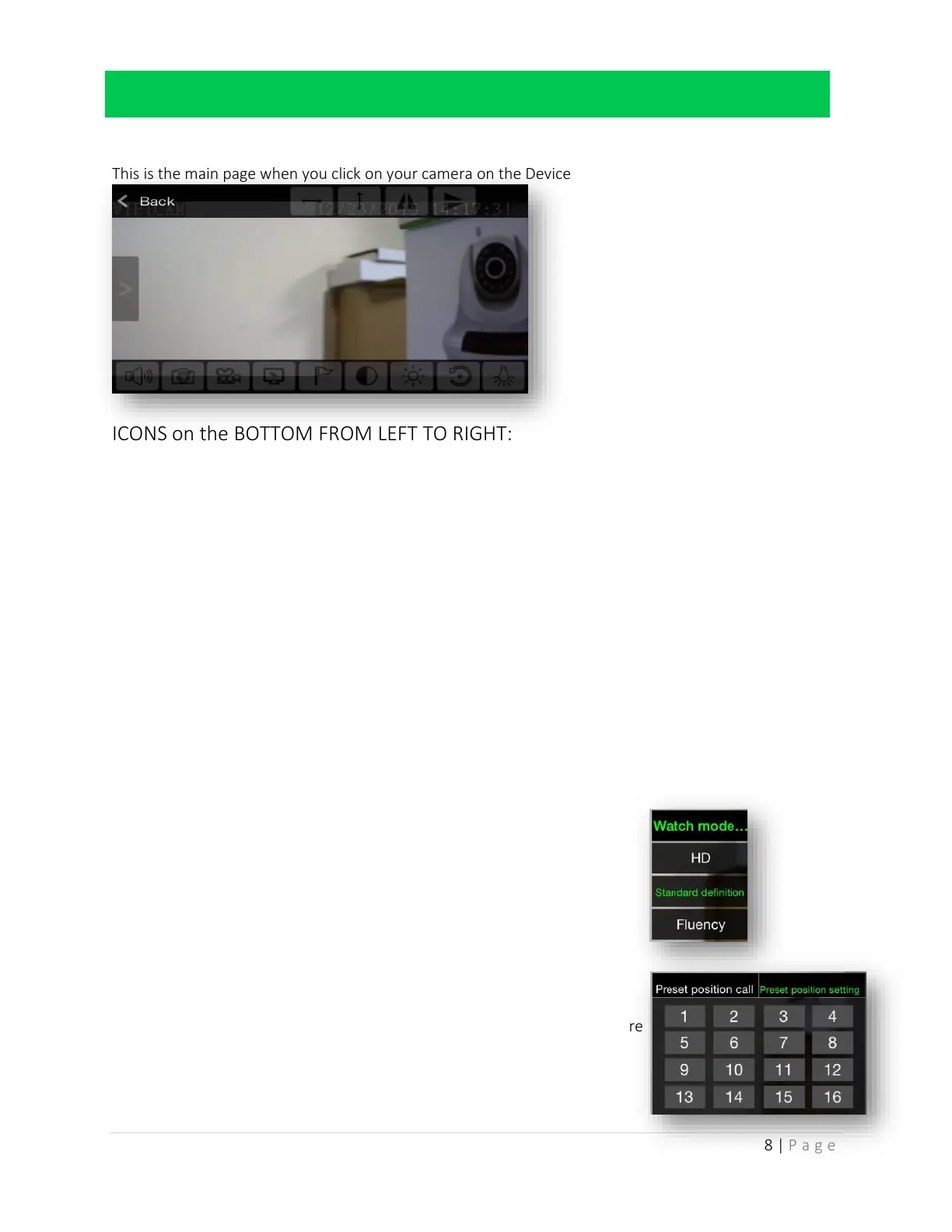
This is the main page when you click on your camera on the Device List page
ICONS on the BOTTOM FROM LEFT TO RIGHT:
Sound
You can hear sound coming from your security camera location and you can output sound from
your camera
o Presents a microphone so you can speak into your phone and it will be output onto the
camera
o It will also output any sound the camera picks up onto your phone
Snapshot
o Take a snapshot or photo of exactly what your camera is pointed towards
NOTE: It will be stored ON a micro SD card if you have one stored and it will be
TEMPORARILY stored in your ‘My Messages’ Menu
Video
o Take a video as long as your finger is holding down the button
NOTE: It will be stored ON a micro SD card if you have one stored and it will be
TEMPORARILY stored in your ‘My Messages’ Menu
Watch Mode
o HD: Highest quality video feed possible
Most memory required to store video or photos
o Standard definition: An average quality video feed
o Fluency: Lowest quality video feed
Least memory requires to store video or photos
Flag (Position Mode)
o Preset position setting
16 open settings
Move your camera into a position you desire
Click one of the 16 buttons to SET that
position to that number



 To Next Page