13
Go to Table of Contents
Mac OX Setup
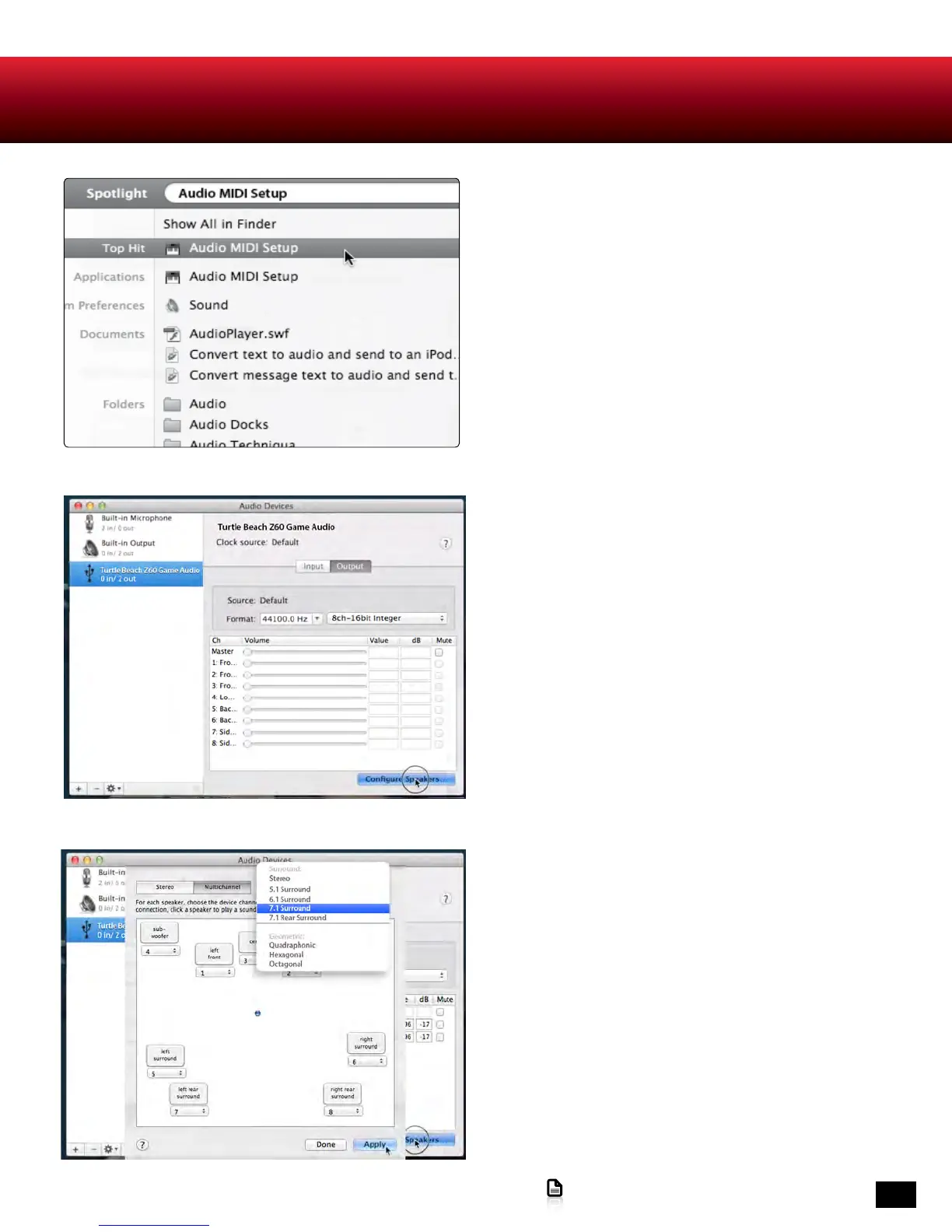
7. In the Audio MIDI Setup application, select
Turtle Beach Z60 Game Audio, select the Output
tab, select 8ch-16bit Integer from the drop-down
menu and click on Configure Speakers.
8. Select the Multichannel tab, select 7.1 Surround
from the drop-down menu and click Apply. Close the
Audio MIDI Setup application.
NOTE: When you use a new game or entertainment
program, be sure to select Surround Sound in the
software’s audio setting if available. If “Virtual
Surround Sound” or “Surround Sound Processing”
are options in-game, do not select it.
6. In the list of search results, click on the Audio
MIDI Setup application.












 To Next Page