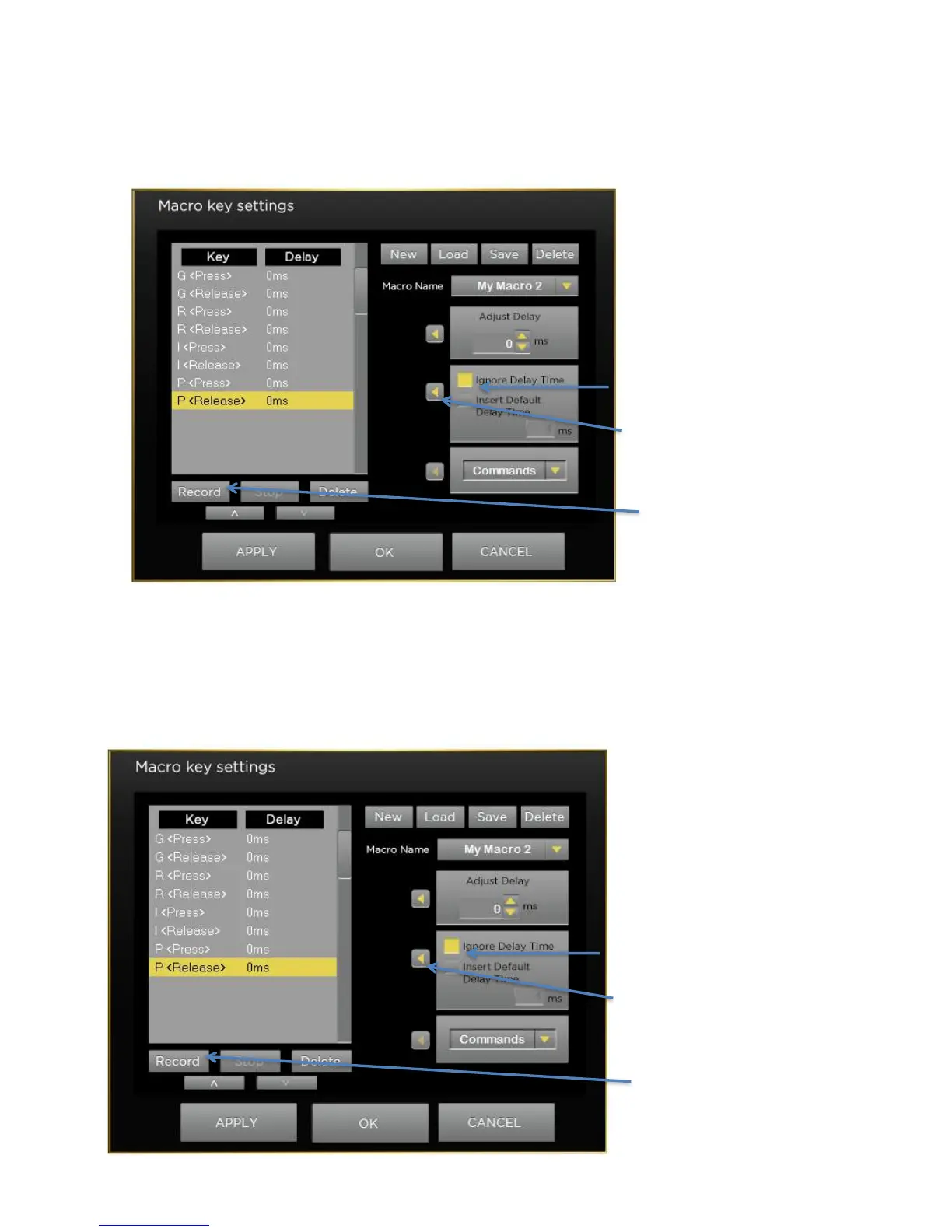
Recording Macros with no Delays
If you want to record macros with no delay between the keystrokes then before you click Record, first select the
box next to the Ignore Delay Time Box then click the apply Arrow. Then press Record and press all the keystrokes
you want in your macro. Once you are complete, click on the Stop button. Now the delay between your keystokes
will be 0 ms and they will be output to the computer as fast as possible.
Recording Macros with a Set Delay
If you want to record macros with the same non-zero delay between the keystrokes then before you click Record,
first select the box next to the Insert Default Time Box then click the apply Arrow. Then press Record and press
all the keystrokes you want in your macro. Once you are complete, click on the Stop button. Now the delay
between your keystokes will be the same number of ms and they will be output to the computer at that rate. See
the below example using 5 ms delay.



 To Next Page