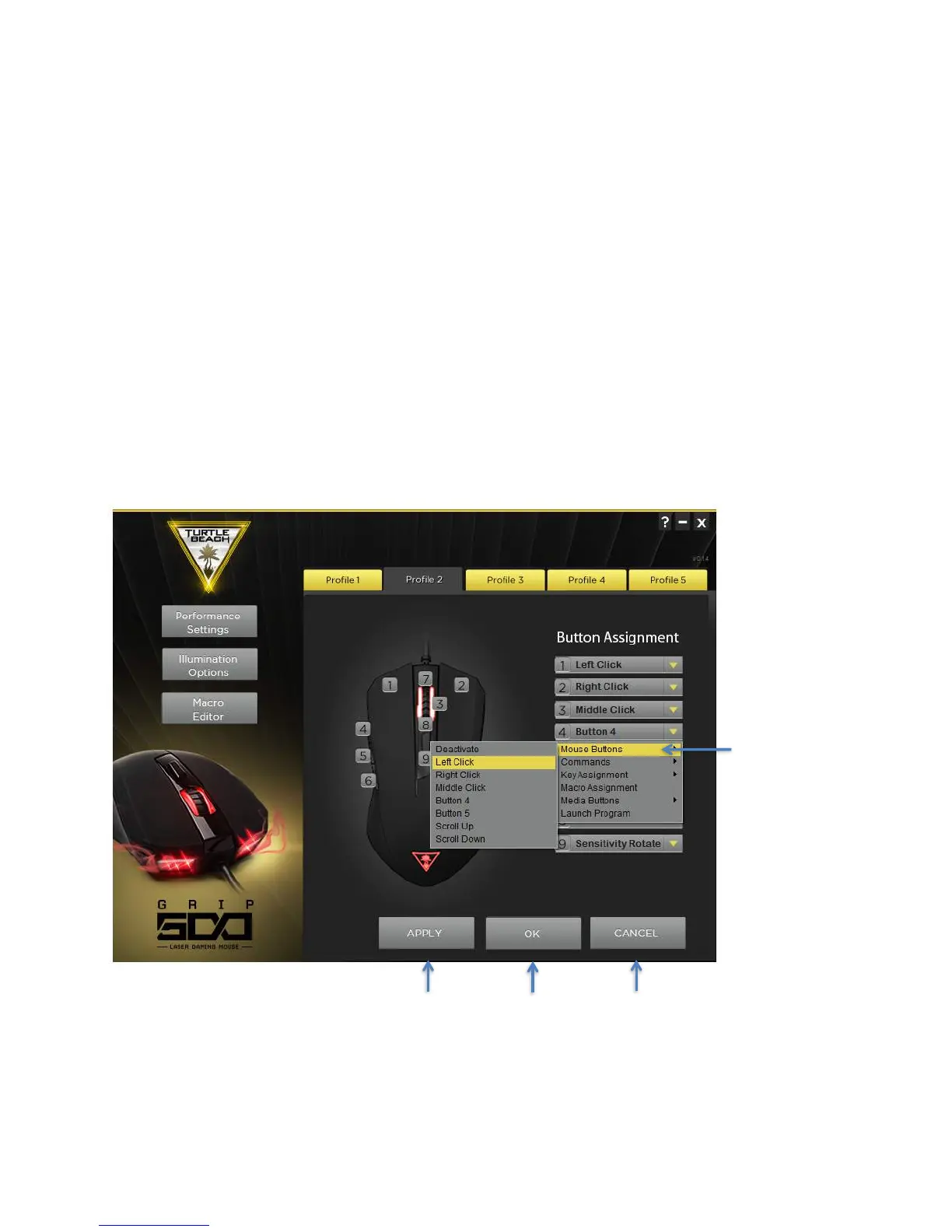
Button Assignments
All 9 buttons on the Grip 500 can be reprogrammed to do almost anything you want. This includes the scroll up
and down operation.
You can program any of the following to buttons using the Button Assignment pull-down menus.
• Mouse buttons – Left click, right click, middle click, mouse button 4 and 5, scroll up, scroll down. You can also
Deactivate the button.
• Sensitivity (DPI) - Up, Down, or Cycle to next setting.
• Keyboard keys – Up to 3 simultaneous keystrokes along with CTRL SHIFT, ALT, and WIN modifier keys.
• Macros – You can create up to 50 complex Macros with up to approximately 100 commands each and then assign
them to any button. First create the macro (See the Macro Creation section) and then assign it to any button.
• Media Buttons – Volume up, volume down, mute, play / pause, next, previous
• Launch a program – By selecting Launch Program, you can program a button to automatically launch another
program. Select Launch Program and then locate the application .exe file. They usually are in your Program Files
or Program Files (x86) folder.
After programing a button with a new command remember to hit the Apply or OK button to apply it to your mouse.



 To Next Page