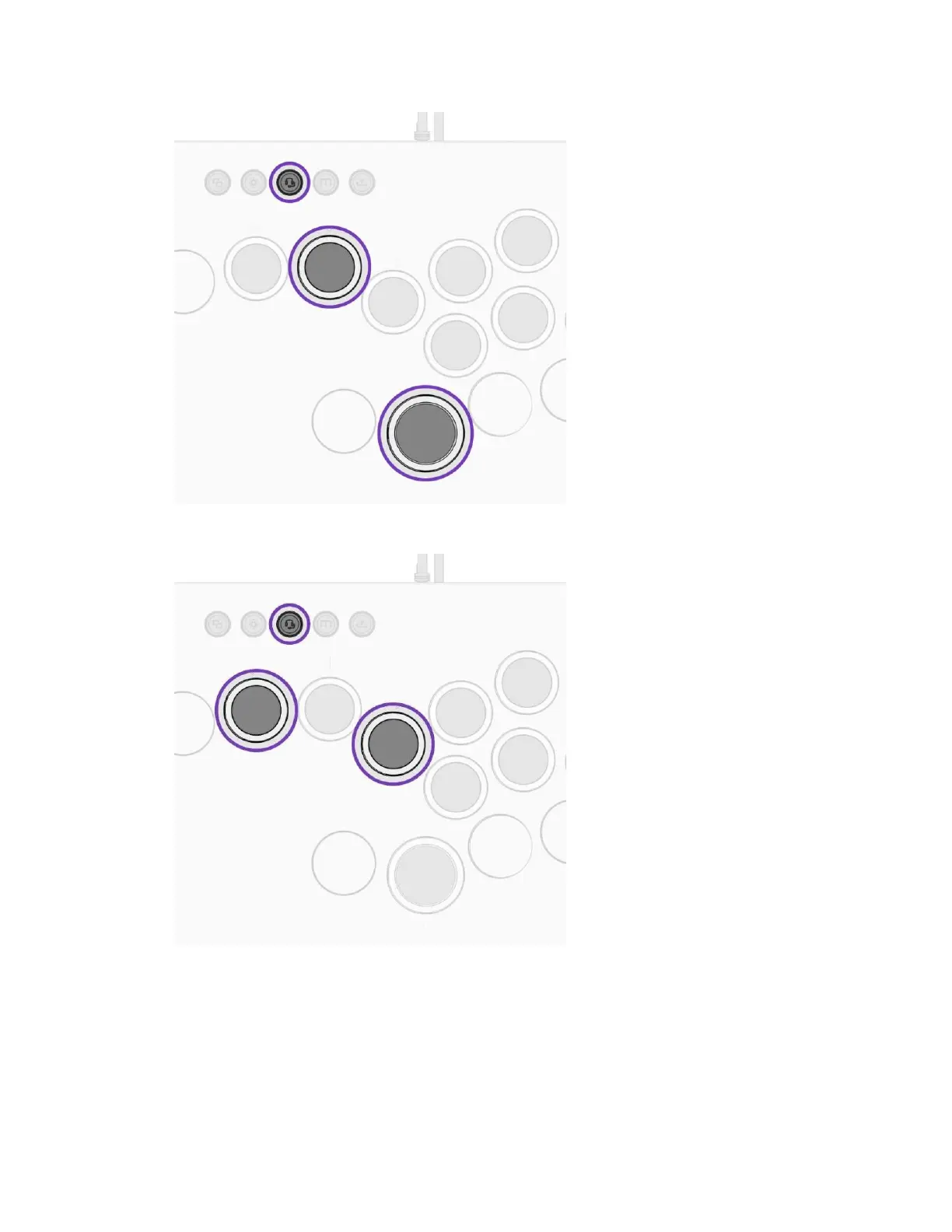
C. Hold the Audio Buon and push the LEFT or RIGHT Direcon Buons to adjust the
Game/Chat Balance. (More Game = Le, More Chat = Right).
D. Double Tap the Audio Buon to Mute/Unmute your mic. An audible tone will play to
indicate the mic has been muted or unmuted.
LIGHTING CONTROLS
A. Tap the Ligh5ng Buon to cycle between 4 preset Lighng Modes.
i. Stac → Breathing → Prismac → OFF



 To Next Page