EasyManua.ls Logo

TUYA TRV601 - Weekly Programming

TUYA TRV601
22 pages
Print Icon
To Next Page IconTo Next Page
To Previous Page IconTo Previous Page
Loading...
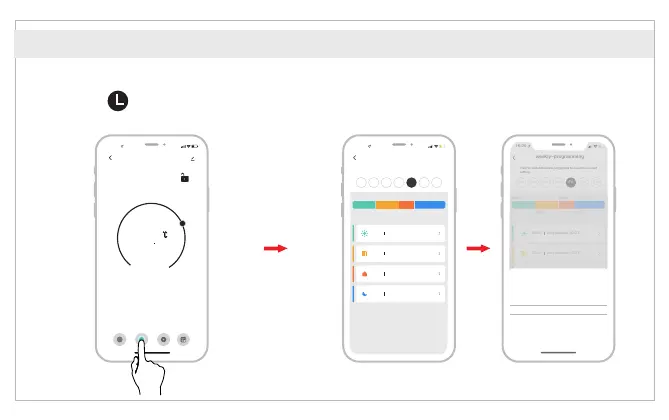
Set four time periods and setting temperature
based on customized needs.
APP Features
16 :00
TRV_new
-
+
26
5
Current temperature 26.6°C
Mode
Working status
State of the window
Auto
Pause
Close
Week prog...
A
Auto
Setting Statistics
16 :00
weekly-programming
Click to switch the date, long press to copy the current
setting
Mon Tues Wed Thur
Fri
Sat Sun
06:00 18:00
12:00 22:00
06:00
Temperature: 20.0°C
12:00
Temperature: 15.0°C
18:00
Temperature: 22.0°C
22:00
Temperature: 15.0°C
Conf
irm
Time
Temp
03
18.5℃
19.0℃04
19.5℃
05
06 00
20.0℃
07 01
20.5℃
21.0℃
08 02
09
21.5℃
03
Cancel
16 :00
Weekly-programming
Click to switch the date, long press to copy the current
setting
Mon Tues Wed Thur
Fri
Sat Sun
06:00 18:00
12:00 22:00
06:00
Temperature: 20.0°C
12:00
Temperature: 15.0°C
18:00
Temperature: 22.0°C
22:00
Temperature: 15.0°C
Click to enter the
Weekly programming page.
Weekly programming
English

Related product manuals