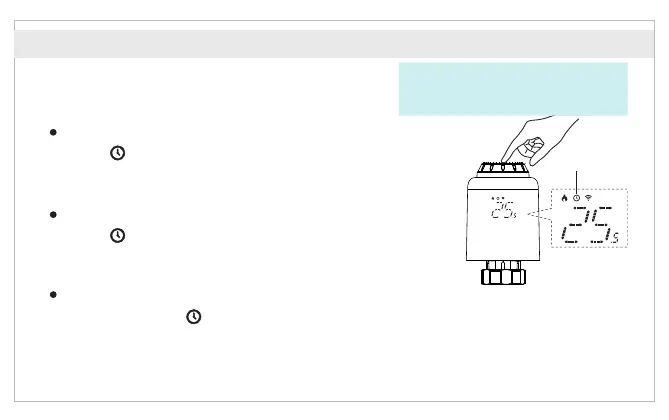
Press the middle button to switch between
Auto mode and Manual mode.
Function Introduction
Auto mode
When “ ” is displayed on the screen, it is under Auto mode.
Four time periods and setting temperature could be programmed
per day, one week as a cycle, based on customized needs.
Manual mode
When “ ” is not displayed on the screen, it is under Manual mode.
The device will work according to current setting temperature,
without controlled by the time period program.
Temporary mode
Under Auto mode, “ ” will be blinking after setting temperature,
and then it will enter Temporary mode.The device is switched to Manual mode temporarily,
without controlled by the time period program. It will return to Auto mode by next time period.
Auto mode
Temperature control mode
* Attention: Only Manual mode is available
when the device is not connected to
Internet.
English



 To Next Page