Alternative Installation
Option 1: Digital Audio
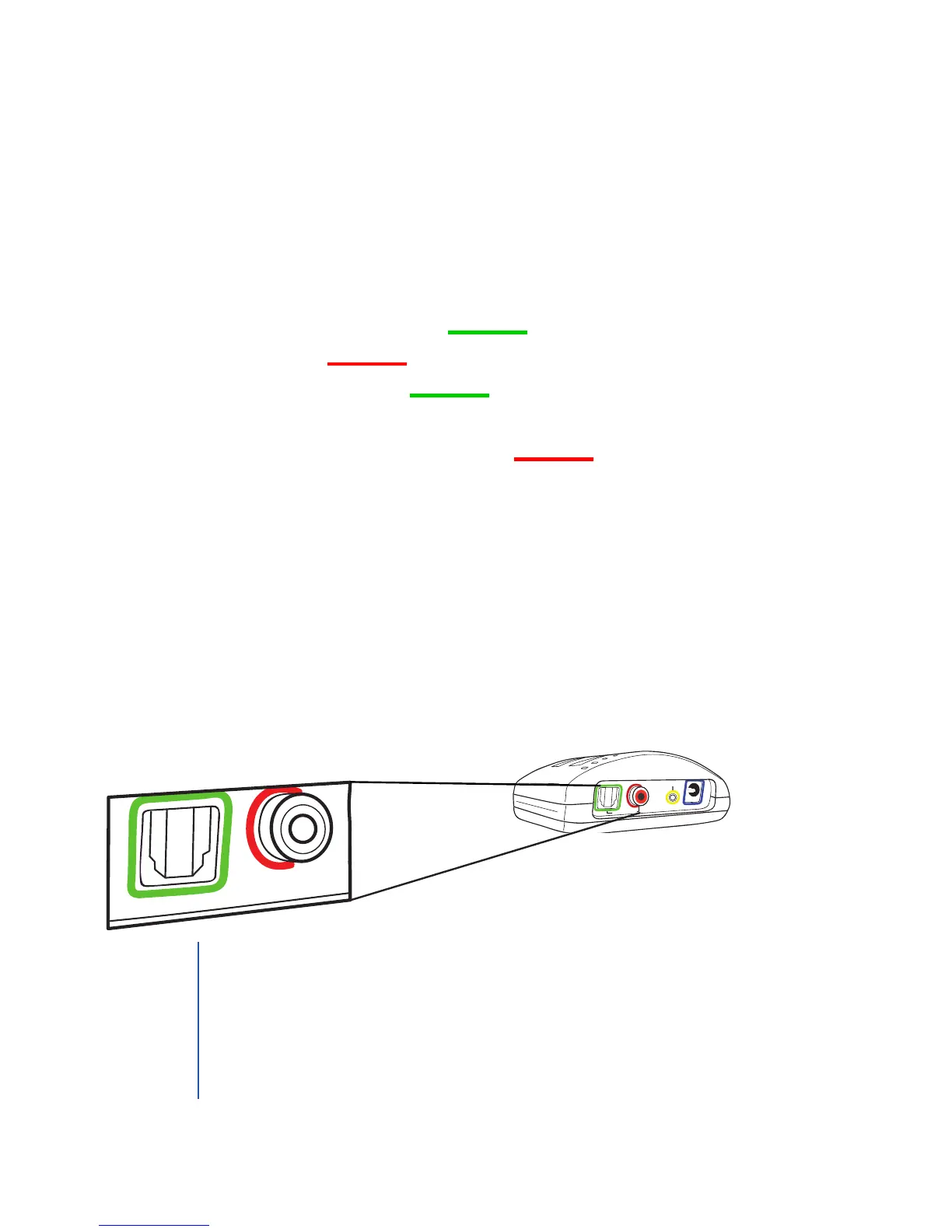
1. Determine which digital audio jack you will use on your
transmitter and your TV, satellite, or cable box.
• The transmitter supports optical connections with a TOSLINK-
style port and coaxial connections with an RCA-style port.
• Most devices have an optical audio output jack that is
compatible with the included TOSLINK-style optical cable.
• If you have a device that uses a coaxial jack for digital audio,
you will need to purchase a standard RCA cable (standard
RCA cable is not included in this package).
2. If using the optical cord, remove clear sleeves from each end. Plug
in the appropriate digital audio cable into the appropriate jack
labeled Digital Audio In on the back of the TV Ears transmitter.
3. Plug the other end of the digial audio cord into your chosen
digital audio output jack of your TV, satellite, or cable box.
Digital Audio In
Analog Audio In
12
V
10
The TV must be set to PCM mode in order for this installation option
to work. TV Ears systems are not compatible with Dolby Digital. The
PCM setting can normally be adjusted through the television’s audio
settings. Note that not all TVs have the option to be set to PCM.
The amber lock light indicates that the transmitter is currently
receiving a valid digital audio signal.
TIP


 To Next Page