10
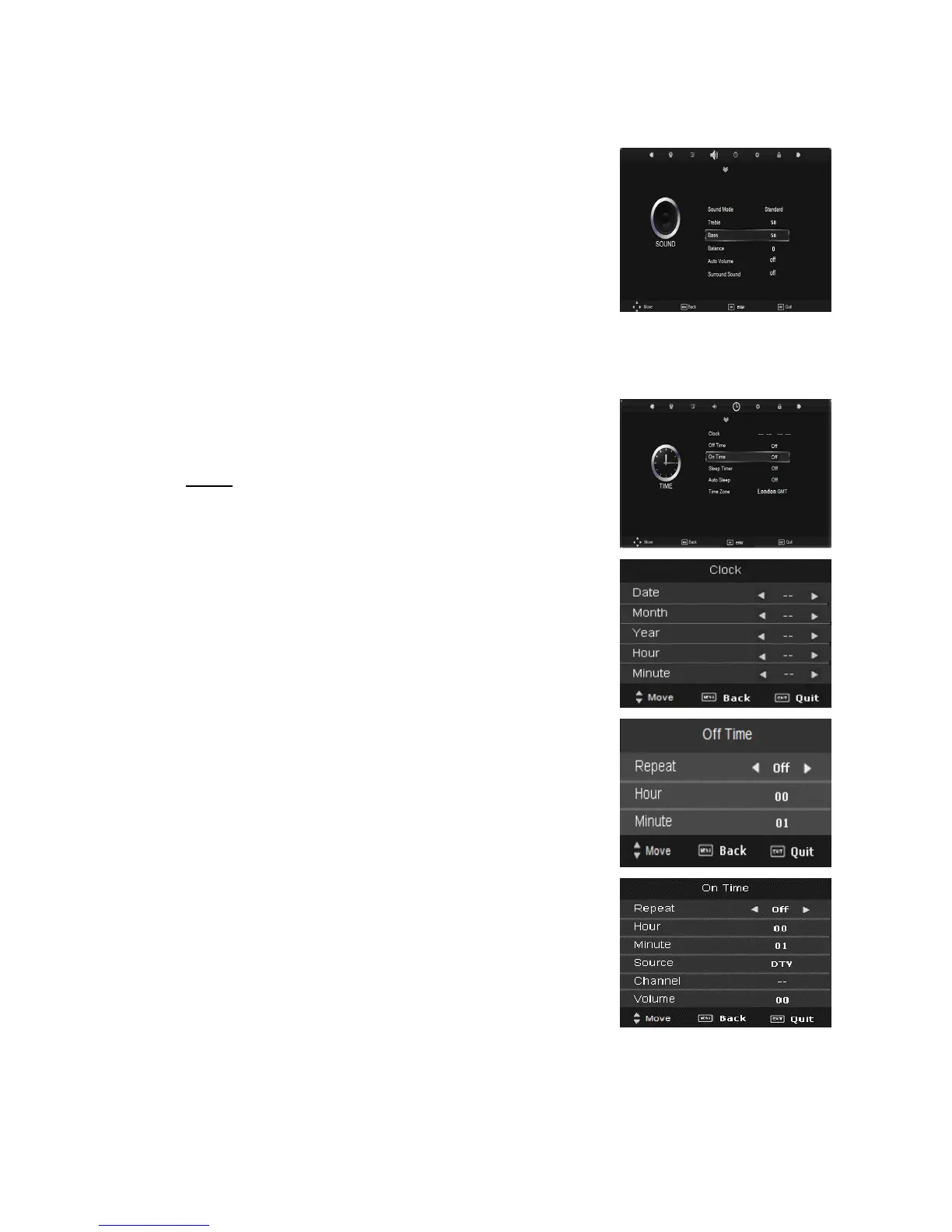
1. Press the “MENU” button to enter the OSD menu. Then press “/” button to select
the “SOUND” menu.
2. Press “/” button to select “Sound Mode” and press the “ENTER” button to enter
sub-menu. Press “/” button to select. (Available
Sound mode: Standard, Music, Movie, Sports, user)
3. Press “/” button to select “Treble” and press the
“/” button to adjust.
4. Press “/” button to select “Bass” and press the
“/” button to adjust.
5. Press “/” button to select “Balance” and press the
“ENTER” button to enter balance adjustment menu to
adjust balance.
6. Press “/” button to select “Auto Volume” and press the “ENTER” button to select
“On” or “Off”.
7. Press “/” button to select “Surround sound” and
press the “ENTER” button to select “On” or “Off”.
TIME
Press the “MENU” button to enter the OSD menu.
Then press “/” button to select the “TIME” menu.
1.Press “/” button to select “Clock” and press the
“ENTER” button to enter to setup the local time.
2.Press “/” button to select “Off Time” and presses
“ENTER”” according to the button choice the button to
enter, establishment unused time
3.Press “/” button to select “ On Time” and presses
“ENTER”” according to the button choice the button to
enter, establishment unused time .
4.Press “/” button to select “Sleep Timer” and press
the “ENTER” button to enter sleep timer adjustment menu
to adjust sleep timer. ( Available
timer :OFF.10min—240min(
5.Press “/” button to select “Auto Sleep” and press the
“ENTER” button to enter sleep timer adjustment menu to
adjust sleep timer.
6.Press “/” button to select “Time Zone” and press the “ENTER” button to enter time
zone adjustment menu to select the local time zone.



 To Next Page