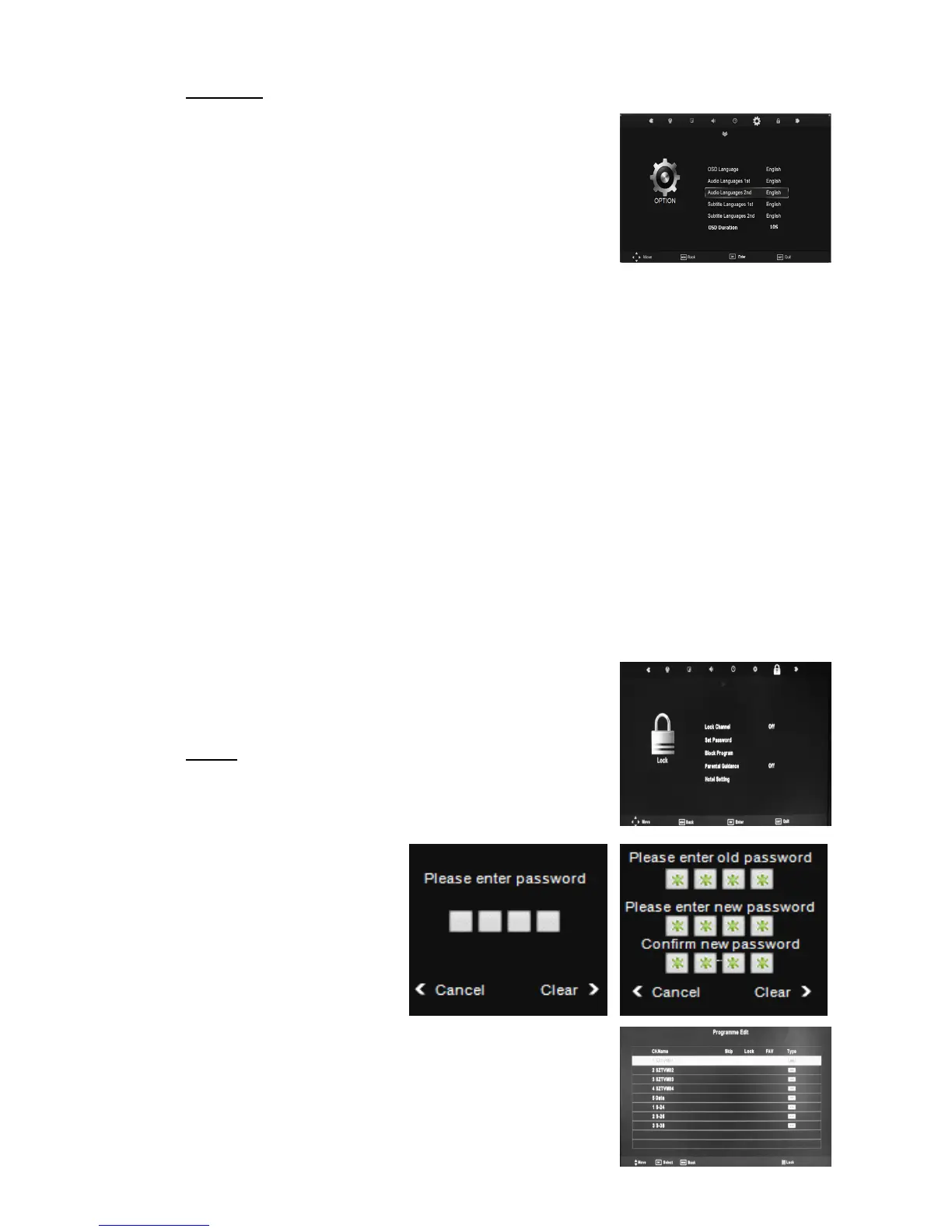
OPTION
1. Press the “MENU” button to enter the OSD menu.
Then press “/” button to select the “OPTION”
menu.
2. Press “/” button to select “OSD Language” and
press the “ENTER” button to enter the OSD language
adjustment menu to select the OSD language which
you desire.
3. Press “/” button to select “Audio Languages 1st” and press the “ENTER” button to
enter the OSD language adjustment menu to select the OSD language which you desire.
4. Press “/” button to select “Audio Languages 2nd” and press the “ENTER” button to
enter the OSD language adjustment menu to select the OSD language which you desire.
5. Press “/” button to select “Subtitle Languages 1st” and press the “ENTER” button to
enter the Subtitle language adjustment menu to select the OSD language which you
desire.
6. Press “/” button to select “Subtitle Languages 2nd” and press the “ENTER” button
to enter the Subtitle language adjustment menu to select the OSD language which you
desire.
7. Press “/” button to select “OSD Duration” and press the “ENTER” button to enter
(Available options : 5-40s).
8. Press “/” button to select “Blue Screen” and press the “ENTER” button to select
“On” or “Off”.
9. Press “/” button to select “Hearing Impaired” and press the “ENTER” button to
select “On” or “Off”.
10. Press “/” button to select “Restore Factory
Default” and press the “ENTER” button to select “NO”
or “YES”.
LOCK
Press the “MENU” button to enter the OSD menu.
Then press “/” button to select the “LOCK” menu.
Enter the “LOCK” menu by
pressing “ENTER” button.
The default password is
“0000”.
1. Press “/” button to
select “Lock System” and
press the “ENTER”
button to select “On” or
“Off”.
2. Press “/” button to select “Set Password” and press
the “ENTER” button to enter to change password.



 To Next Page