24
Computer Connection
1. Establishing Connection
Connect the machine to a computer equipped with the LaserGRBL software using a
USB data cable.
Power on the machine.
Launch LaserGRBL on the computer.
2. Configuration Steps
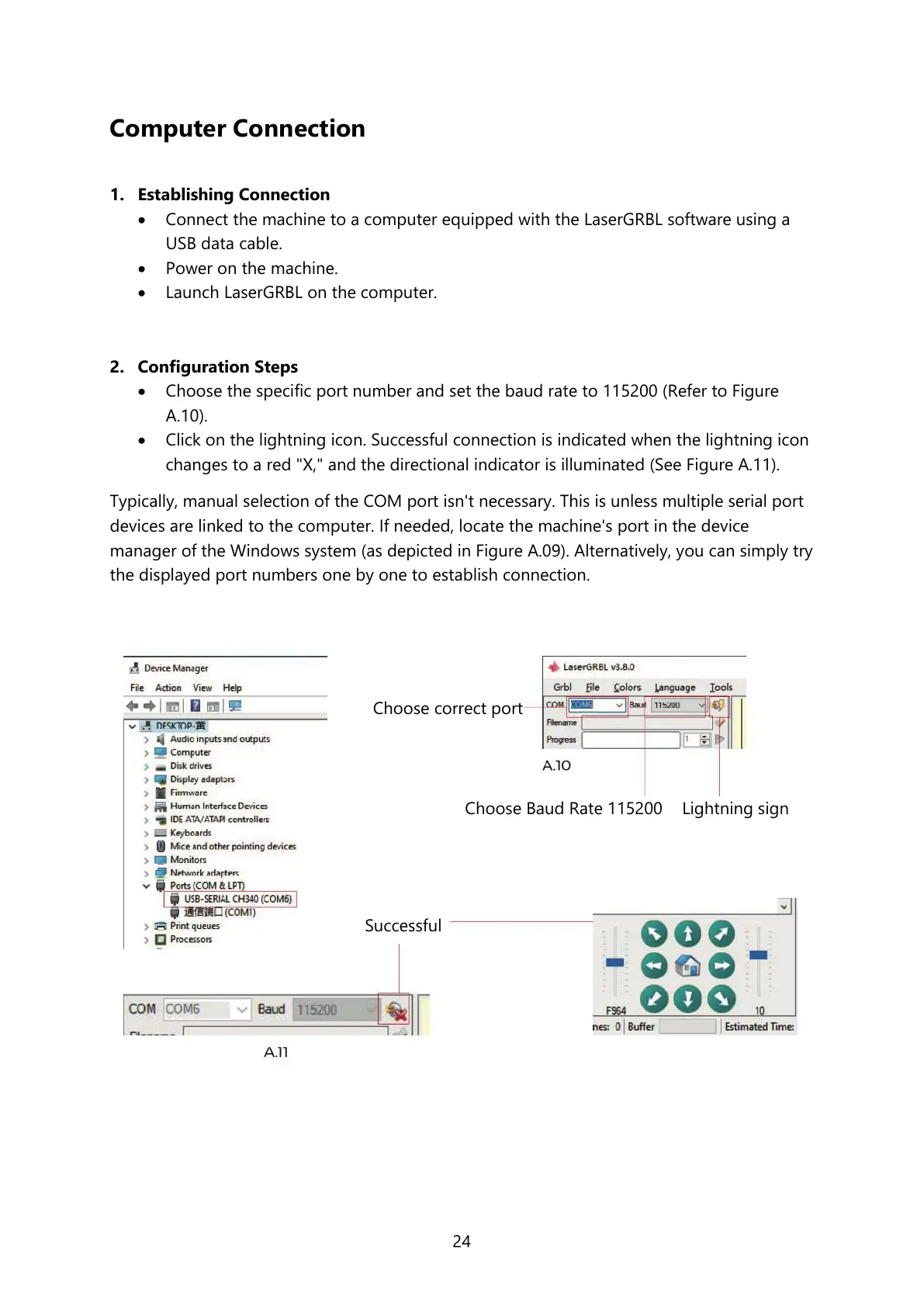
Choose the specific port number and set the baud rate to 115200 (Refer to Figure
A.10).
Click on the lightning icon. Successful connection is indicated when the lightning icon
changes to a red "X," and the directional indicator is illuminated (See Figure A.11).
Typically, manual selection of the COM port isn't necessary. This is unless multiple serial port
devices are linked to the computer. If needed, locate the machine's port in the device
manager of the Windows system (as depicted in Figure A.09). Alternatively, you can simply try
the displayed port numbers one by one to establish connection.



 To Next Page