16
Note:
The energy value is set to 500, and the laser intensity accounts for 50% of the
power.
The energy value is set to 1000, and the proportion of laser intensity to power
is 100%. The larger the energy, the faster the speed can be set.
The above parameters only for reference. Due to the different properties of
the materials, please adjust the parameter values according to the actual
situations.
For engraving :
REFERENCE OF MATERIALS
Material
Speed (mm/min) Power (%) Times
Plywood
Acrylic
Leather
Electroplated coating
Powder coating
Anodic alumina
Stainless steel
Density board
pebble
Plastic board
Cardboard
6000
6000
6000
1000
6000
6000
3000
6000
6000
6000
6000
50
20
20
100
50
20
100
60
100
40
50
1
1
1
1
1
1
1
1
1
1
1
For Cutting :
Material Speed (mm/min) Power (%) Times
Plywood 1mm
Plywood 2mm
Plywood 3mm
Plywood 4mm
Plywood 5mm
Plywood 6mm
Plywood 7-8mm
Acrylic 1mm
Acrylic 3mm
Acrylic 6mm
600
450
280
200
150
100
100
500
200
100
100
100
100
100
100
100
100
100
100
100
1
1
1
1
1
1
1—2
1
1
1-2
1. Turn on the machine, and connect it to the computer.
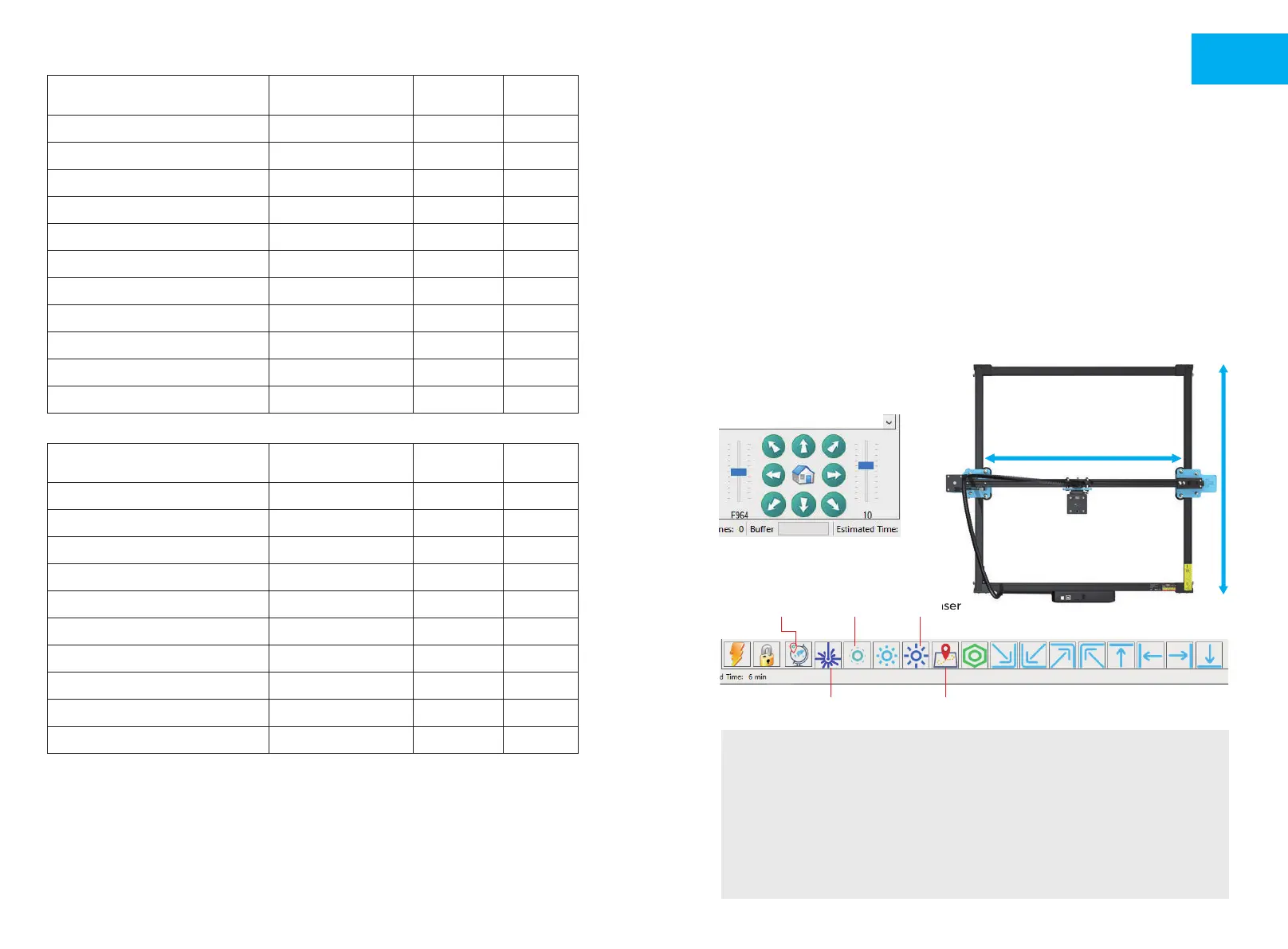
2. Movement test:
Control the machine to move up, down, left and right on the software, to
check whether the direction and distance are right.(Fig. A01)
3. Laser emission test:
Software import custom icons, then click to sent out laser(weak laser). Wear
goggles and observe whether the laser module emits blue light.(Fig. A02)
4. Test the files in the TF card:
Note: laser will generate heat and glare, which may cause harm. Please
follow the instructions to avoid injury.
TEST BEFORE USE
( Fig. A01 )
( Fig. A02 )
Emit the laser
Find edge on outline
Strong laserLow laserSet the origin
1. After the laser head has been used for a period of time, it is necessary to clean
the lens of the light outlet under the laser head to ensure normal cutting ability
2. Wiping the lens must be done after the machine is powered off, otherwise
the laser will hurt people
3. After wiping the lens, please dry it naturally for about 3-5 minutes and wait
for the lens to dry before powering it on, otherwise the light will cause the lens
to break
4. You can watch the video tutorial by scanning the QR code of the manual
17
EN



 To Next Page