0908
EN
08
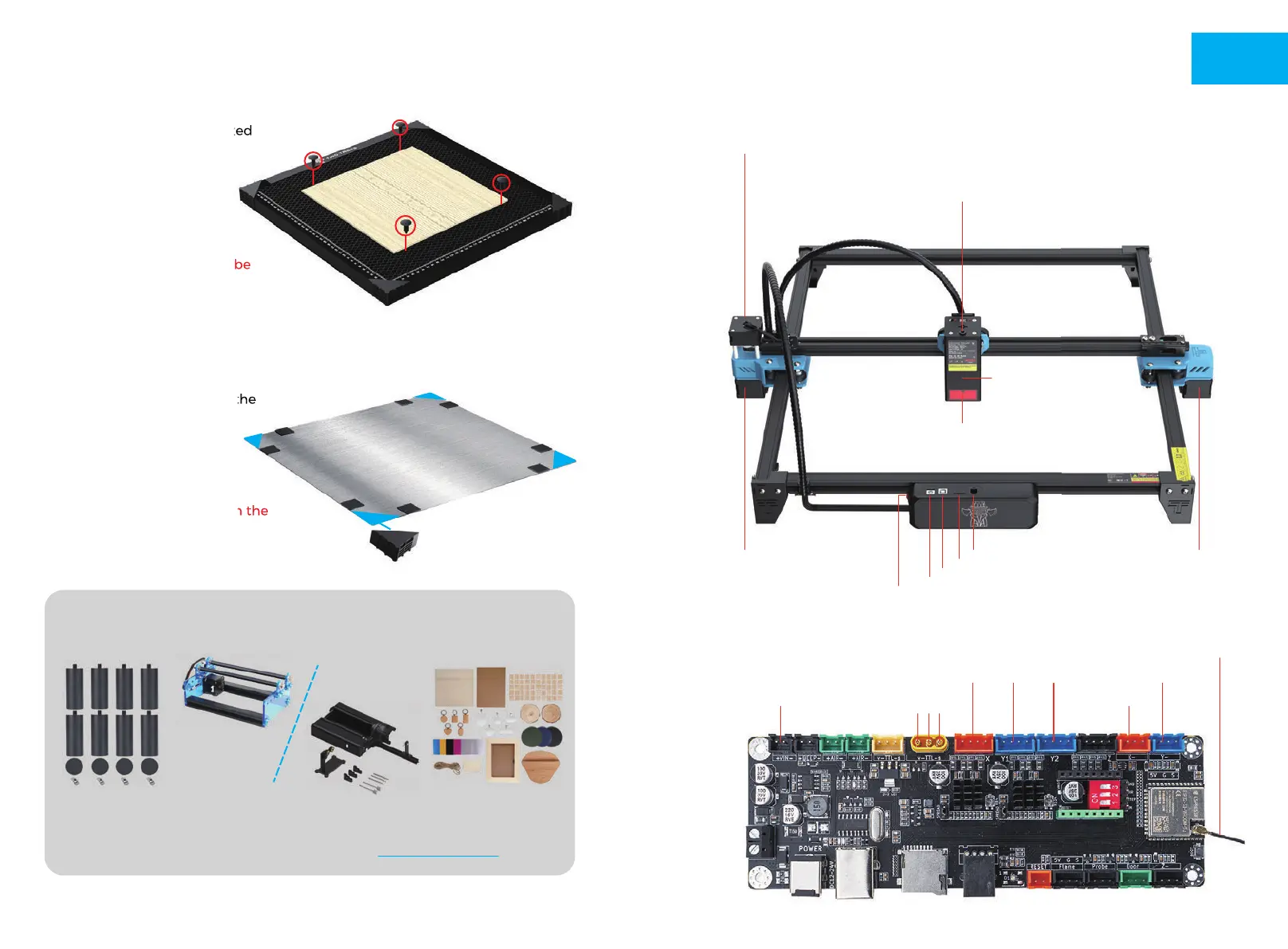
MEET YOUR TTS-20 PRO
Machine Introduction
Motherboard Introduction
Motherboard Fans
X Motor
Y1 Motor
Laser Shield
Power Switch
Power Port
USB Port
TF Card Slot
Display Port
X Motor Y1 Motor Y2 Motor
X Limit Switch
Y Limit Switch
Antenna
(No access location)
Laser Module
Laser Module
V G S
Y2 Motor
Air Hose Fitting
Insert the air hose into this position, you can use a tie to secure the air hose to the
bellows to prevent the appearance of affecting the movement of the machine
HONEYCOMB PANEL INTRODUCTION
Four honeycomb pins are fixed
in the corner of the carved
material to ensure that the
material will not buckle.
Note: stainless steel will be
deformed by heat, the
honeycomb needle can not be
fixed steadily
The method of using honeycomb needle
Four honeycomb pins are fixed
honeycomb needle can not be
First confirm the position of the
paste anti-slip sheet with
honeycomb board, and then
paste the anti-slip sheet
(honeycomb board corner
protection may interfere with the
attention to avoid position)
Stick non-slip sheets to the aluminium sheet
First confirm the position of the
protection may interfere with the
External auxiliary accessories can be added
(included only in some packs)
Heightening kit Rotary module
For detailed infomation, please do the enquiry: www.twotrees3d.com
Engraving Material Pack



 To Next Page