English
EIL/MAN/002: REVISION 6 Date: July 2007 Page 9
3.1 Adding a New Ribbon
If while printing the ribbon runs out, the indicator lights orange and the printer pauses. Keeping
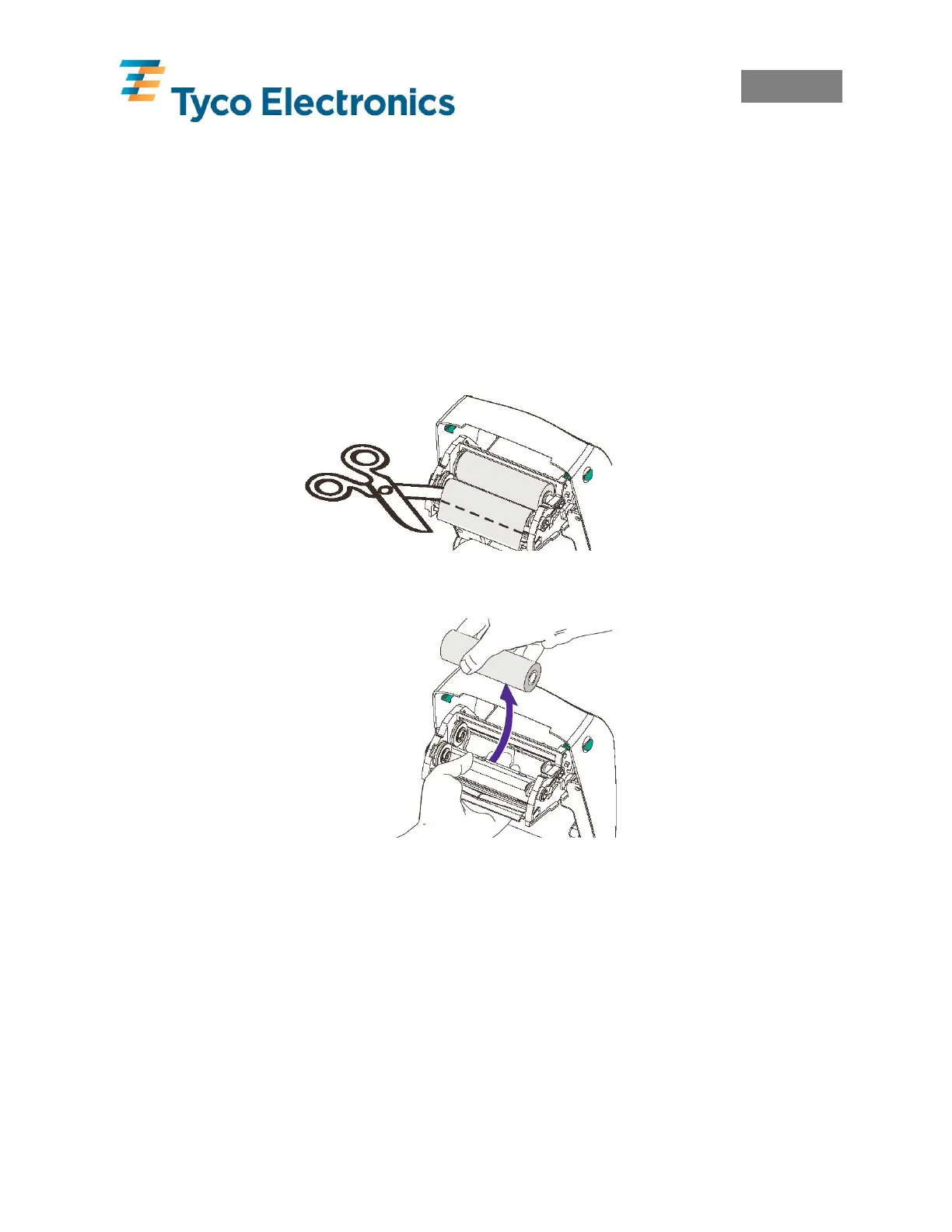
the power ON, open the top cover. Cut the used ribbon so both cores can be removed. Load the
new ribbon as described in section 3.0 Loading Ribbon. Close the top cover and press the feed
button to restart printing.
3.2 Removing a partially used Ribbon
To remove a partially used ribbon cut the ribbon from the take-up roll. Remove the take-up roll.
Remove all the used ribbon from the take-up core and keep the empty core for future use.
Remove the supply roll and store in accordance with the ribbons storage conditions.
Cut Used Ribbon from Supply
Push Supply Roll
Out
Important Note: When a complete ribbon has been used, the take-up roll must be replaced with
an empty cardboard roll, or the waste ribbon must be removed from the take-up cardboard core.
Allowing the waste ribbon to build up on the take-up cardboard core can rub against the new
ribbon and jam.



 To Next Page