22
Step 5) Step back approximately 26 feet (8 meters) behind the Q500.
FLYING
TAKEOFF
To takeoff, slowly raise the le-hand sck to slightly above the center
posion. The Q500 will takeoff and climb slowly (or raise the sck further
unl it does). Allow the sck to return to the center posion when the
Q500 reaches the desired altude.
FLYING
Take your me learning how the Q500 responds to various control inputs
while flying. In Smart Mode the Q500 will always move in the direcon the
right-hand control sck is pushed relave to the pilot and no maer which
way the front/nose is pointed. In Angle (Pilot) Mode the Q500 will move in
the direcon the control sck is pushed relave to the front/nose of the
aircra (and the ‘angle’ of movement is determined by how far you push the
sck away from the center posion). And please see the corresponding
secons of this instrucon manual for more informaon on Smart Mode
and Angle (Pilot) Mode.
IMPORTANT NOTE: If at any me during flight you feel like the Q500 is
driing out of/beyond your control, simply release both control scks. The
Q500 will automacally self-level and will even hold its posion (with a
suitable GPS signal/lock) when both control scks are centered. You can
also acvate Home Mode so the Q500 automacally flies itself back to the
home point and lands.
LANDING
There are two ways to land the Q500:
1) Posion the Q500 above the area where you would like to land. Slowly
lower the le-hand sck to below the center posion. The Q500 will
descend slowly and land. Aer the Q500 lands, press and hold the red
START/STOP buon for approximately two (2) seconds to stop the motors.
2) Acvate Home Mode and the Q500 will automacally fly itself back to the
home point and will land within a 10 foot (3 meter) diameter circle around it.
WARNING: Always land as soon as possible aer the first level low voltage
baery warning, or land immediately aer the second level low voltage
baery warning (as indicated by the vibraons and audible alerts from the
ST10, and by the Below Motor LED Status Indicators flashing rapidly). And
if at any me the Aircra Baery Voltage shown on the screen is below
10.7V, land the Q500 immediately.
AFTER LANDING
ALWAYS turn off the Q500 BEFORE turning off the ST10. Then remove
the baery from the Q500 and allow it to cool to ambient/room temperature
before recharging.
WARNING: Do not aempt to operate the Q500 in winds
that exceed 8–12 miles per hour (13–19 kilometers per
hour).
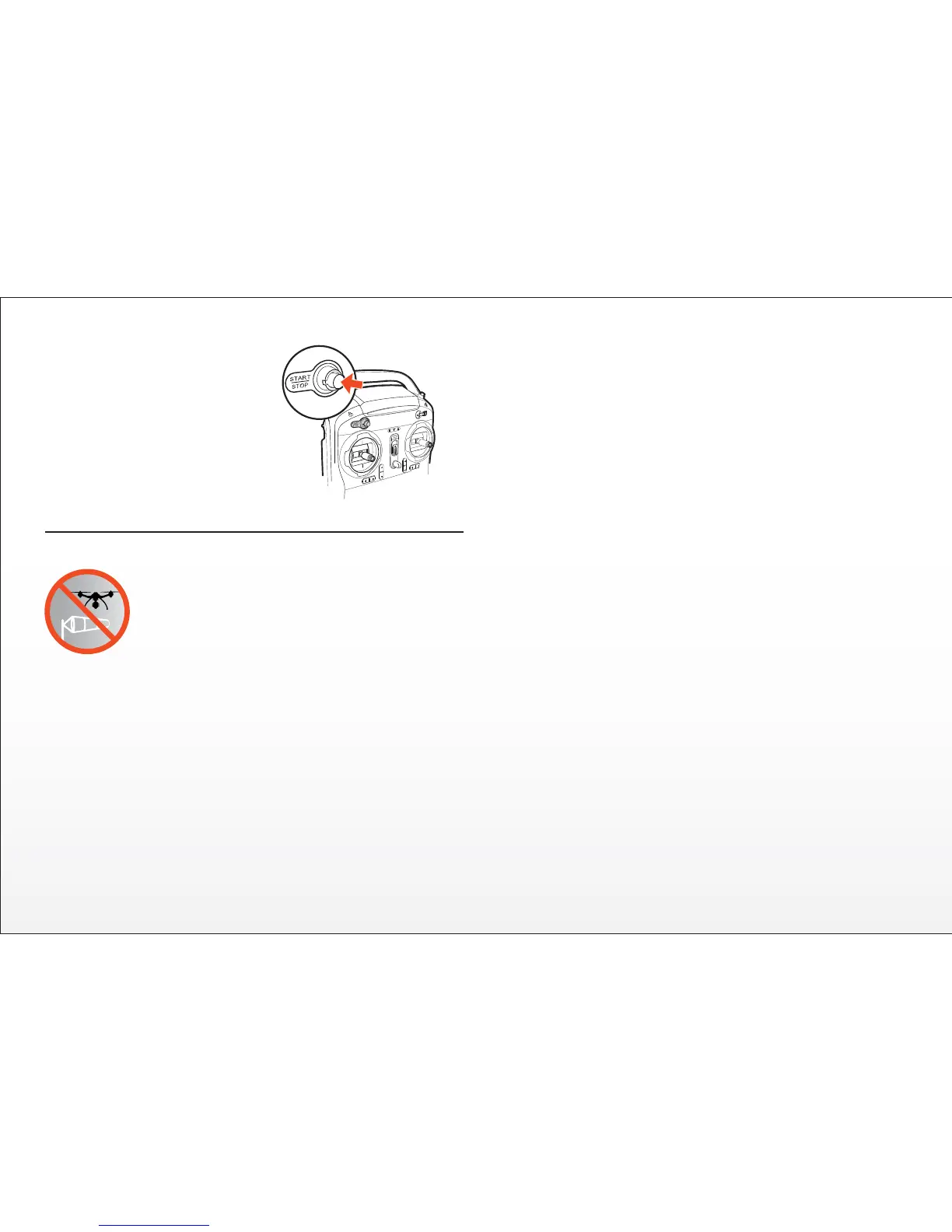
Step 6) Press and hold the red
START/STOP buon for approxi-
mately three (3) seconds to start the
motors. Or you can lower the
le-hand sck all the way, move it all
the way to the le, then all the way to
the right and back to the middle to
start the motors.


 To Next Page